Treat Debit as Cash – Separate Control for PIN and Signature Debit
Merchants can now configure PIN Debit and Signature Debit behavior separately under the existing “Treat Debit as Cash” functionality. This enhancement provides greater flexibility by allowing fees to be applied or removed independently based on how the debit transaction is processed.
Supported Channels: POS Standalone
Minimum Required POS Build: 10170
What’s New
Two new parameters are introduced to replace the single “Treat Debit as Cash” behavior:
-
PIN Debit – Controls fee application for debit transactions authenticated using a PIN
-
Signature Debit – Controls fee application for debit transactions processed without a PIN
Behavior
-
If PIN Debit is enabled → Fee is removed (treated as cash)
-
If PIN Debit is disabled, → Fee is applied
-
If Signature Debit is enabled, → Fee is removed
-
If Signature Debit is disabled, → Fee is applied
Where to Configure
-
Log in to the iPOSpays portal using an ISO account
-
Navigate to: S.T.E.A.M → Search and select TPN → Edit Parameters → Fee Settings → Dual Pricing
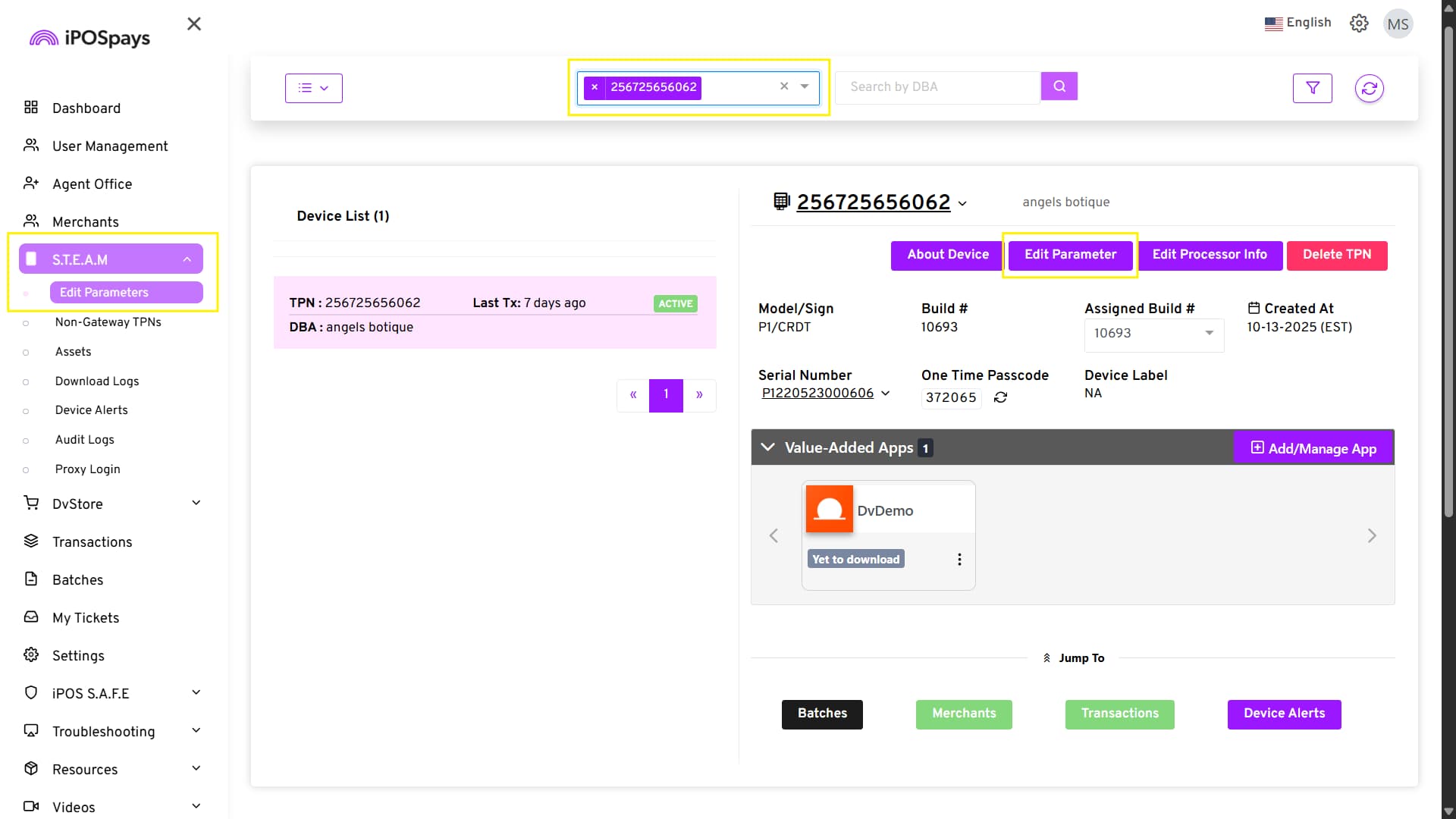
- Locate the following parameters:
-
PIN Debit
-
Signature Debit
- Enable or disable each option based on the required behavior
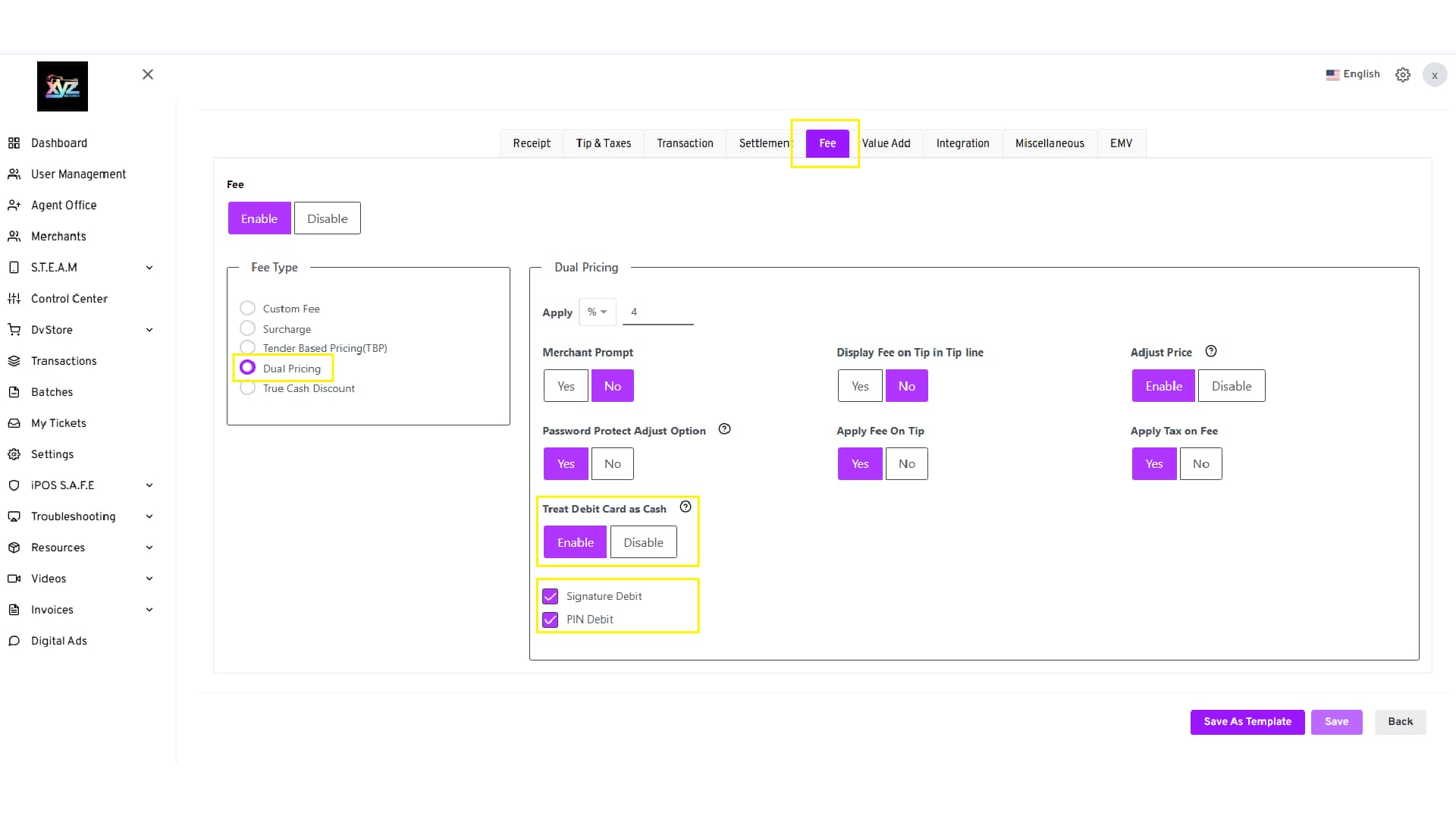
-
Click Save
-
Perform a parameter update on the terminal
-
Both parameters are disabled by default to maintain backward compatibility
-
If left unchanged, the system will continue to behave as per the existing implementation