New Device Models and Minor Channels Added in BLINK
iPOSpays has enhanced BLINK by adding new device models and minor channel values in filters, improving search usability within the BLINK page.
What’s New
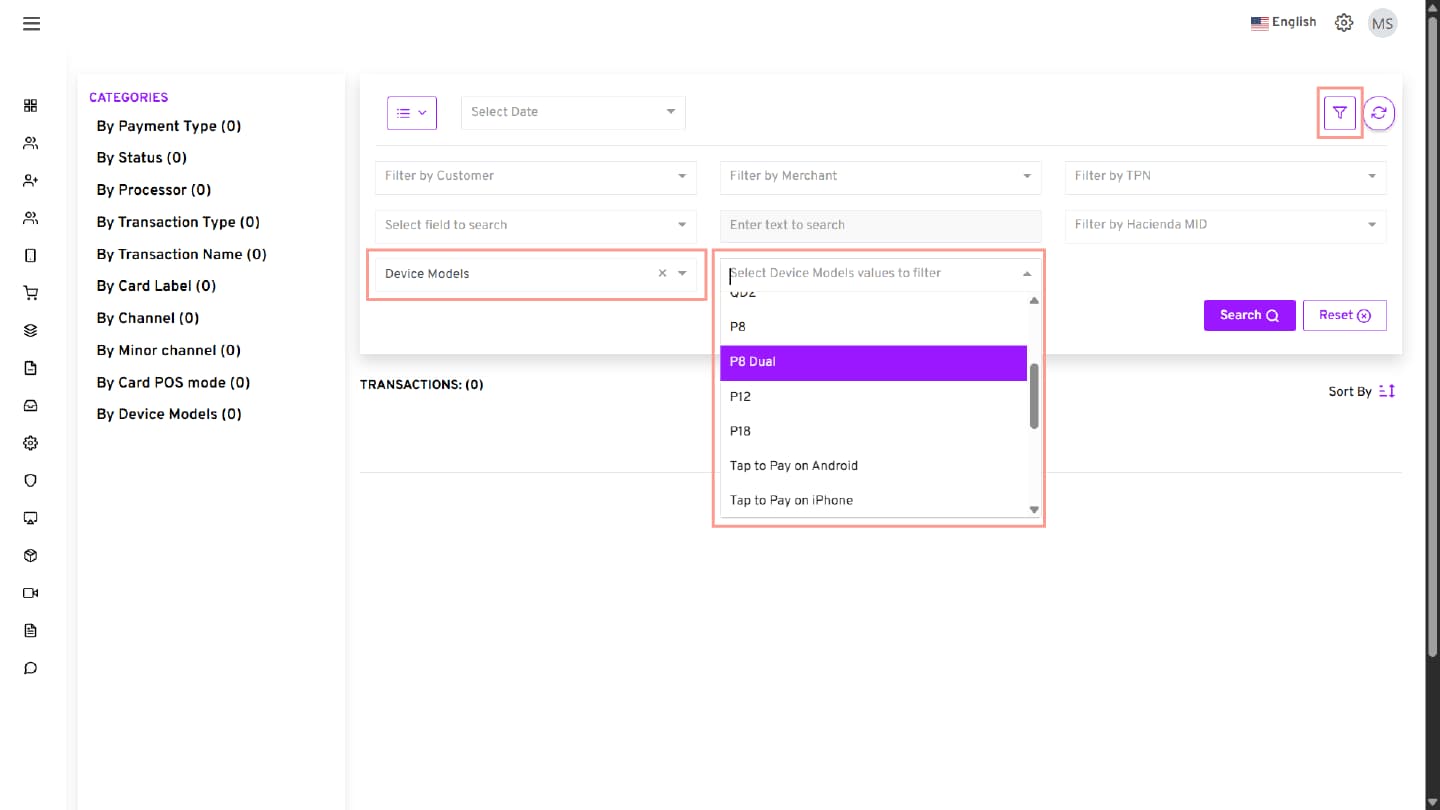
New Device Models Added
The following device models are now available in the Device Model filter:
- P8 Dual
- P12
- P18
- Q3V
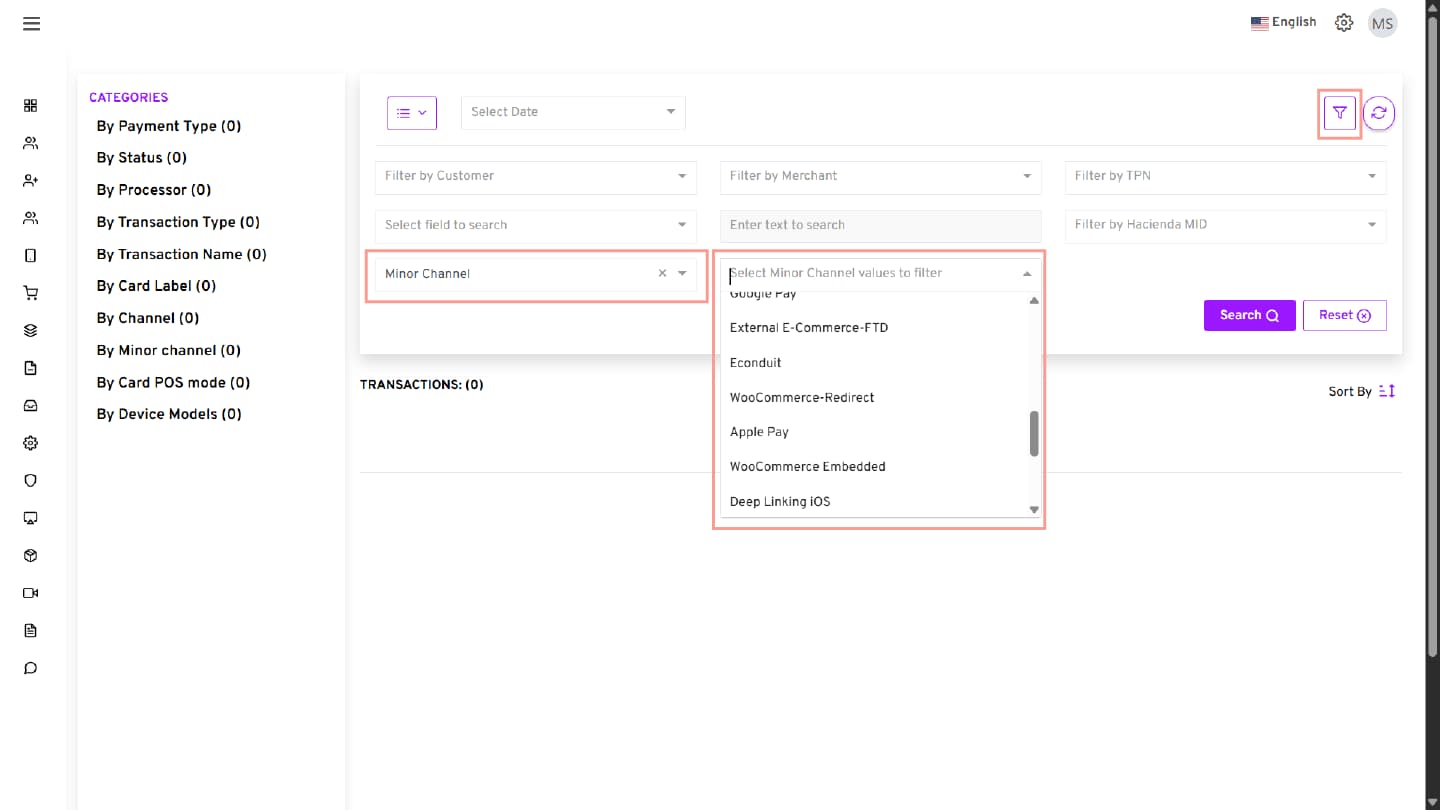
New Minor Channels Added
The following minor channels are now available in filters:
- WooCommerce Embedded
- Deep Linking iOS
- In-App SDK iOS
- WooCommerce
- WooCommerce Embedded Google Pay
- PayPal
- Venmo
- Crypto
Additional Enhancement
- Increased the left-side filter subcategory display limit from 15 to 50
- Newly added device models and channel values are also visible in the left-side filter panel
Where It Works
- Portal → BLINK
How to Use
- Log in to the iPOSpays portal using your ISO or Merchant account
- Navigate to Transactions → BLINK
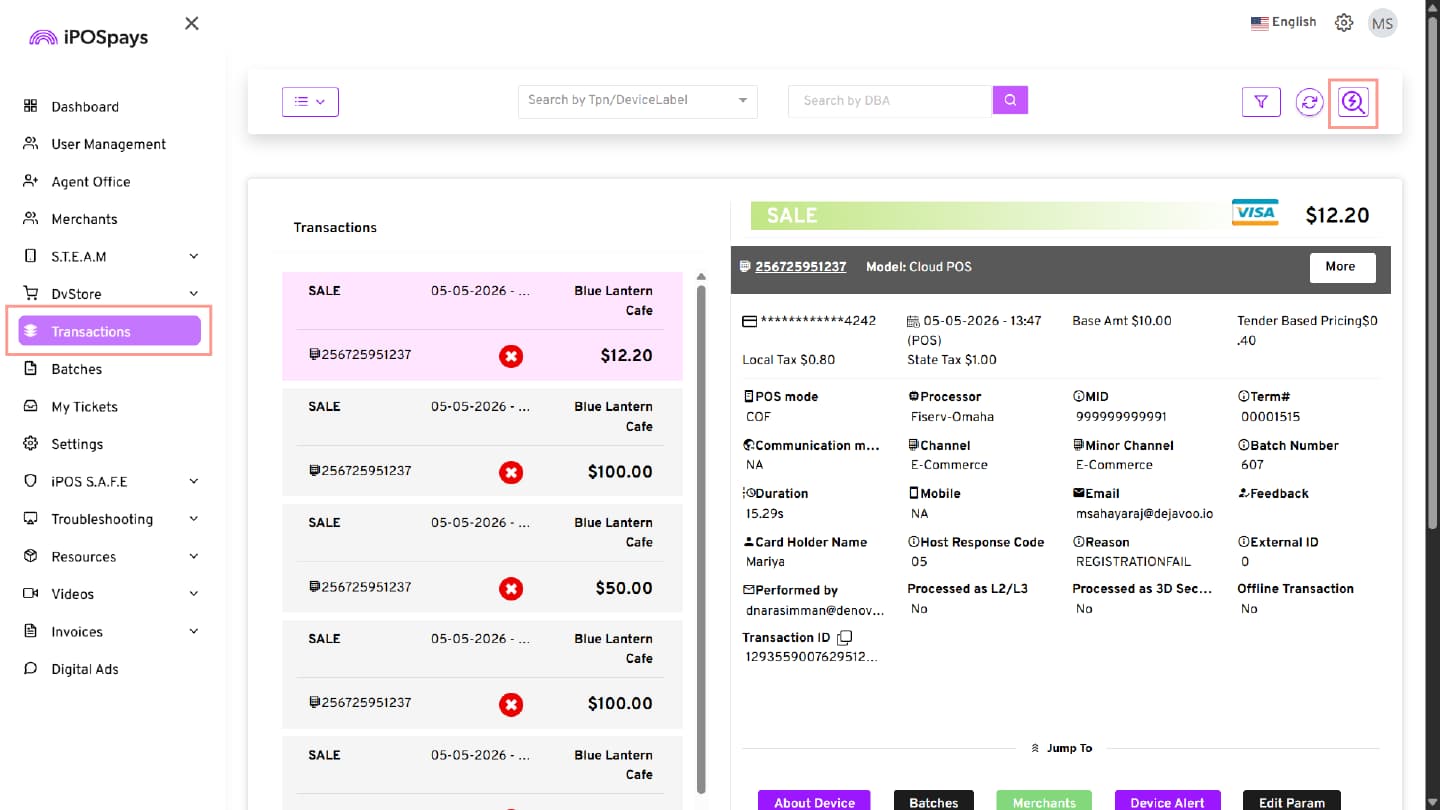
- Open the BLINK search page
- Use the Device Model or Channel filters
- Select the required filter values
- Click Search to view results
Behavior
- Newly added device models and channels are available in BLINK filters
- Up to 50 filter values are displayed in the left-side filter panel
- Existing BLINK functionality remains unchanged