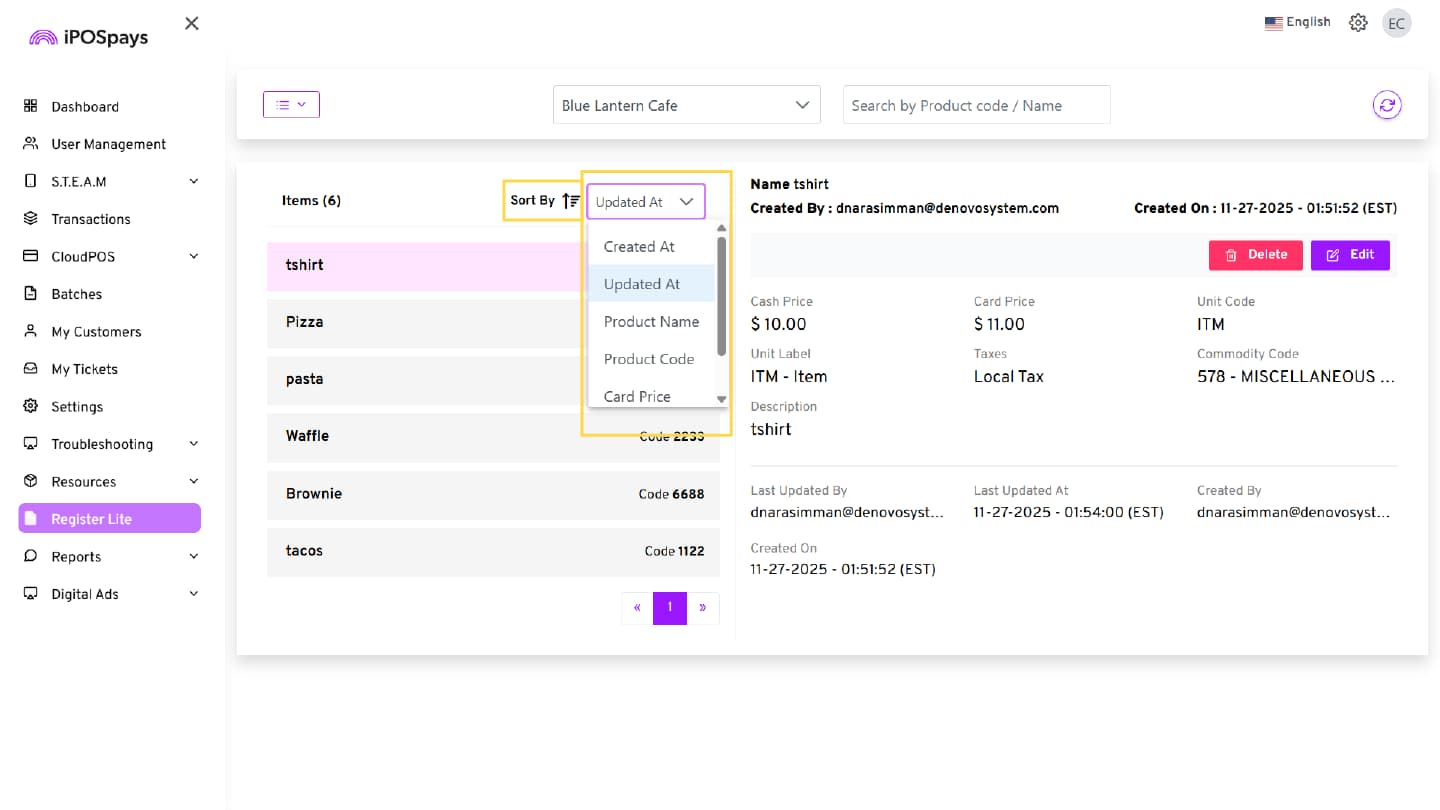
ISO Control Over Register Lite Markup Rate & Price Entry Mode
Before this update, merchants could manage the Register Lite markup rate and price entry mode directly from their iPOSpays account. With this update, ISOs now have control over whether merchants can edit the markup rate and change the default price entry mode.
Register Lite is now available as a configurable Add-On Feature in the ISO login of the iPOSpays portal. This enhancement gives ISOs greater control over feature availability, pricing configuration, and merchant-level permissions, improving flexibility and monetization opportunities.
Feature Compatibility
-
Minimum Required POS Build: 10107 and above
-
Supported Terminals: Dejavoo P Series and QD Series devices, iPOSgo! (iOS)
-
Supported Payment Processors: Not applicable
-
Supported Fee Types: Supports all fee types
How It Works
ISO Enablement
ISOs can manage Register Lite from the iPOSpays portal:
-
Navigate to Add-On Features
-
Enable or disable Inventory / Register Lite at the store level
-
Use “Merchant can edit markup” to control merchant permissions
Markup Update Experience
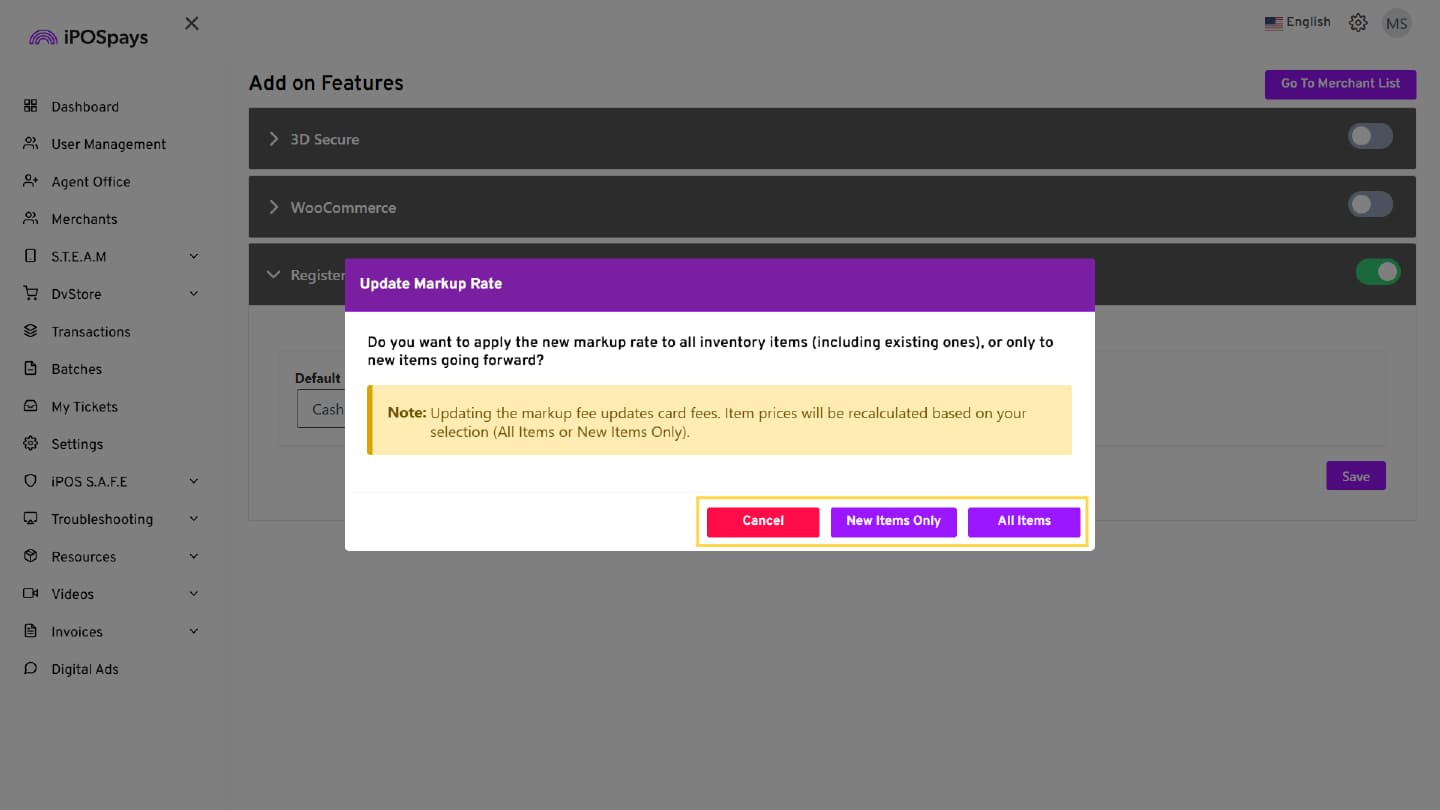
When the Markup Rate is updated and saved:
-
A confirmation pop-up appears with options:
-
All Items → Apply to existing and new items
-
New Items Only → Apply only to new items
-
Cancel → Discard changes
-
Merchant Experience
When enabled:
- The inventory module is available in the portal
If editing is allowed:
-
Merchants can edit markup and pricing (card/cash)
-
Manage inventory items
If editing is restricted:
-
Markup and pricing fields are read-only.
-
The default price entry mode is determined by the ISO (Cash or Card)
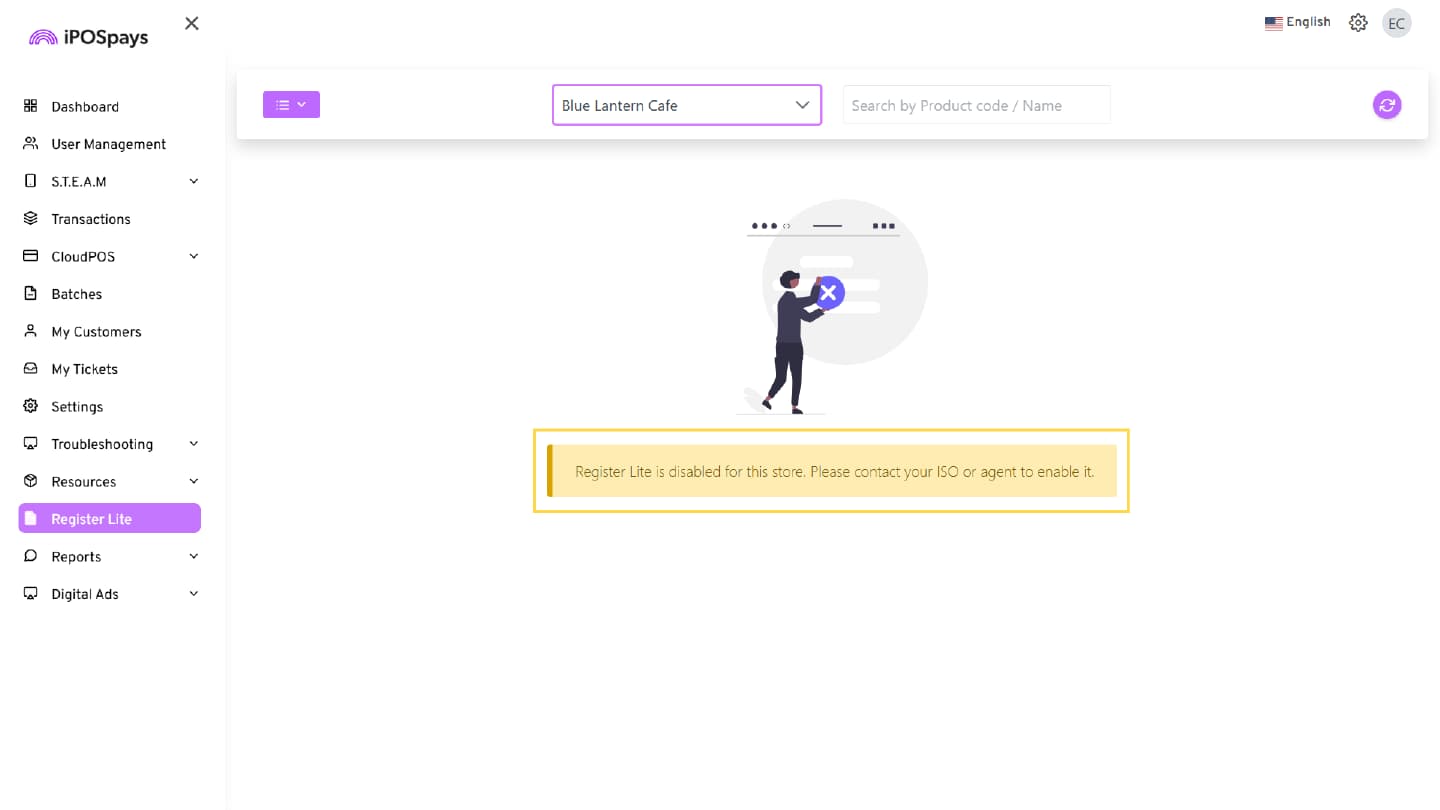
When Register Lite is Disabled
-
The Inventory module is not accessible
-
A message is displayed indicating that Inventory is not enabled for the store
How to Enable and Use Register Lite (Add-On Feature)
Steps to Enable and Configure Register Lite & Markup (ISO)
1. Enable Register Lite
-
Log in to the iPOSpays portal using your ISO account.
-
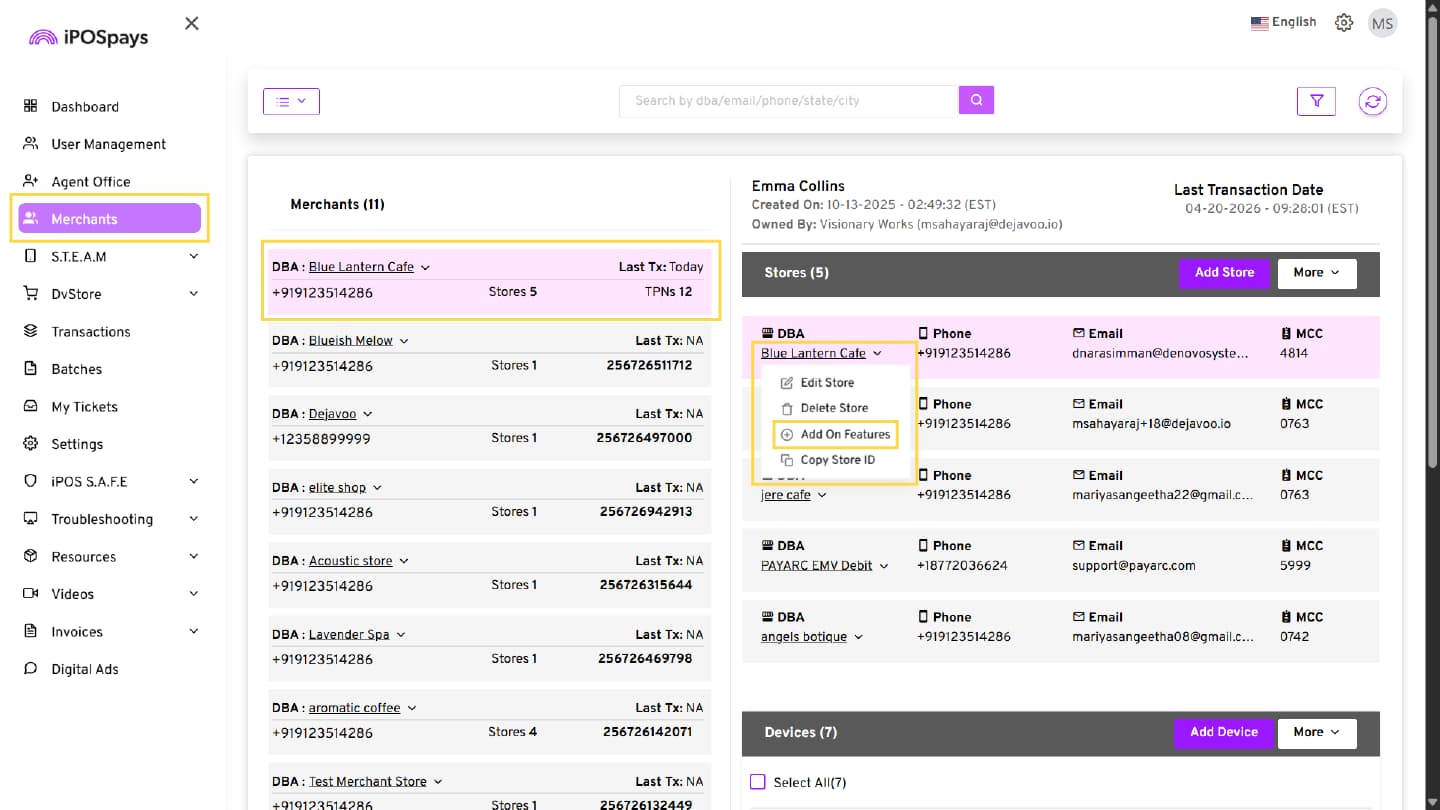
Navigate to: Merchants → Search → Select Merchant → Store DBA → Add-On Features
-
Locate Register Lite and ensure the feature is enabled (enabled by default for all stores).
2. Configure Pricing & Markup
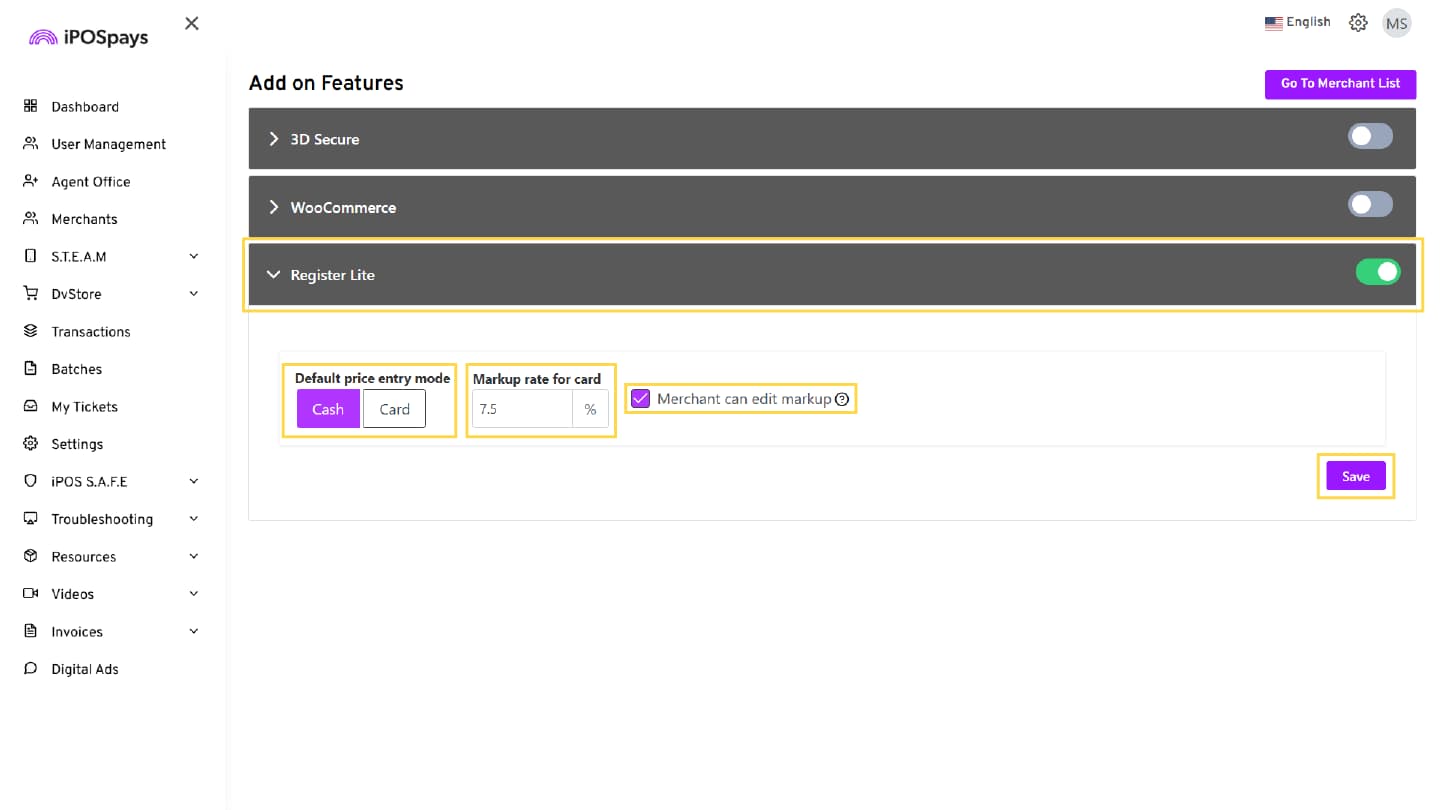
-
Select the Default Price Entry Mode (Cash or Card).
-
Enter the Markup Rate for Cash/Card.
-
Use “Merchant can edit markup” to control merchant permissions
-
Enabled by default
-
Uncheck the box to prevent merchants from changing the markup rate and default price entry mode
-
-
Click Save.
Once Merchant can edit markup is unchecked:
-
Merchants cannot modify the markup rate or change the default price entry mode from their merchant account
-
The selected default price entry mode set by the ISO remains enforced
- Example: If the ISO selects Card, merchants cannot switch it to Cash, and vice versa
-
In the confirmation pop-up, choose:
-
All Items → Apply markup to existing and new inventory
-
New Items Only → Apply markup only to future items
-
Cancel → Discard changes
-
Behavior When Disabled
If Register Lite is disabled:
-
The Register Lite module is not accessible in the portal
-
A message is displayed: “Register Lite is disabled for this store. Please contact your ISO or agent to enable it.”
-
Inventory-related actions are restricted
- Additional Capabilities
-
Sorting: Ascending / Descending
-
Columns:
-
Created Date
-
Updated Date
-
Product Name
-
Product Code
-
Card Price
-
Cash Price
-