Hacienda MID Filter in BLINK
iPOSpays now supports searching transactions using the Hacienda MID filter in the BLINK Search bar. This enhancement improves transaction lookup by allowing users to quickly identify transactions associated with merchants configured with a Hacienda MID at the TPN level.
What’s New
- Added Hacienda MID filter in BLINK
- Introduced typeahead dropdown suggestions for Hacienda MID selection
- Supports single and multiple Hacienda MID filtering
- Hacienda MID is internally mapped to corresponding TPNs for transaction retrieval
Where It Works
- iPOSpays Portal → BLINK
How to Use Hacienda MID Filter
- Log in to the iPOSpays portal using your ISO or Merchant account
- Navigate to: Transactions → BLINK
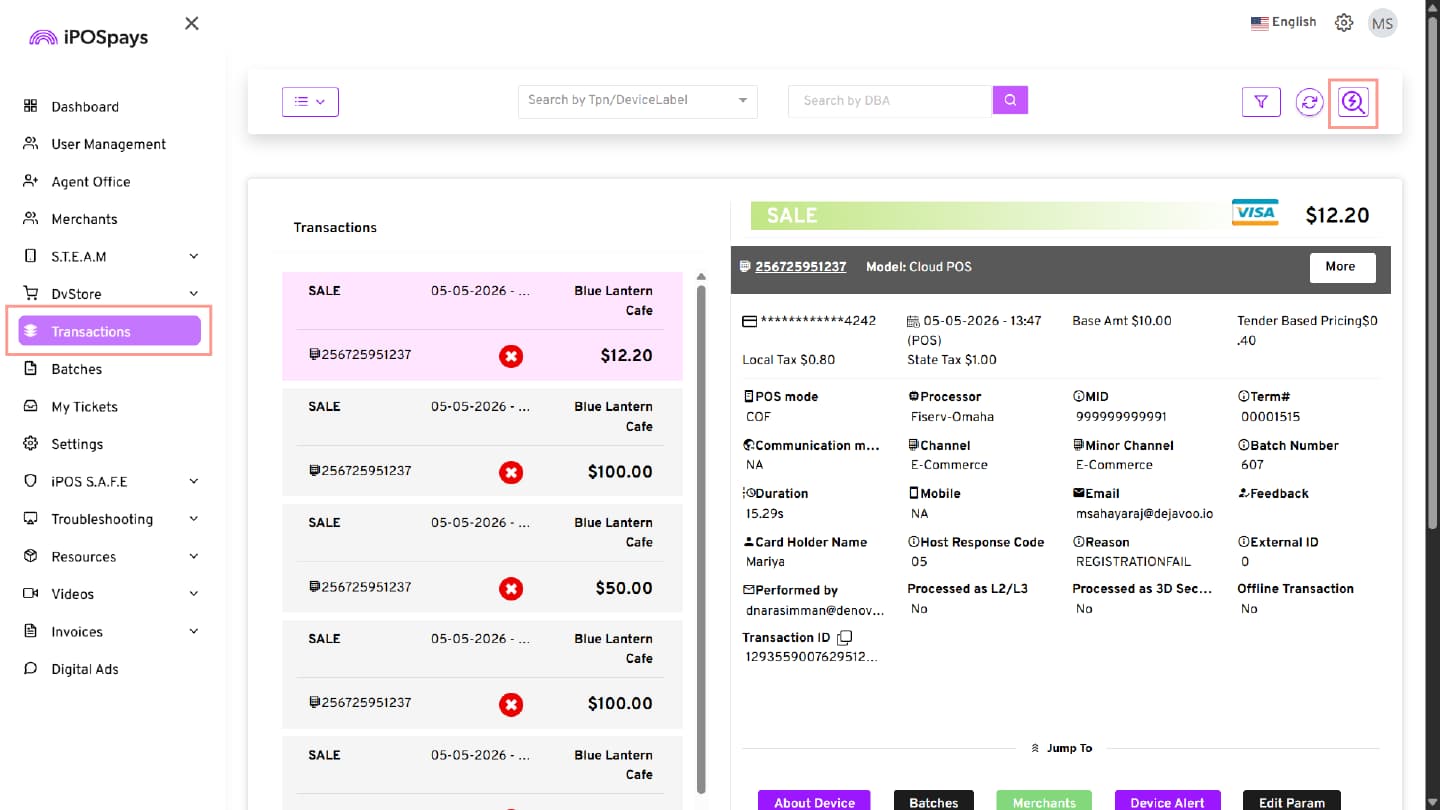
- The BLINK search page will open
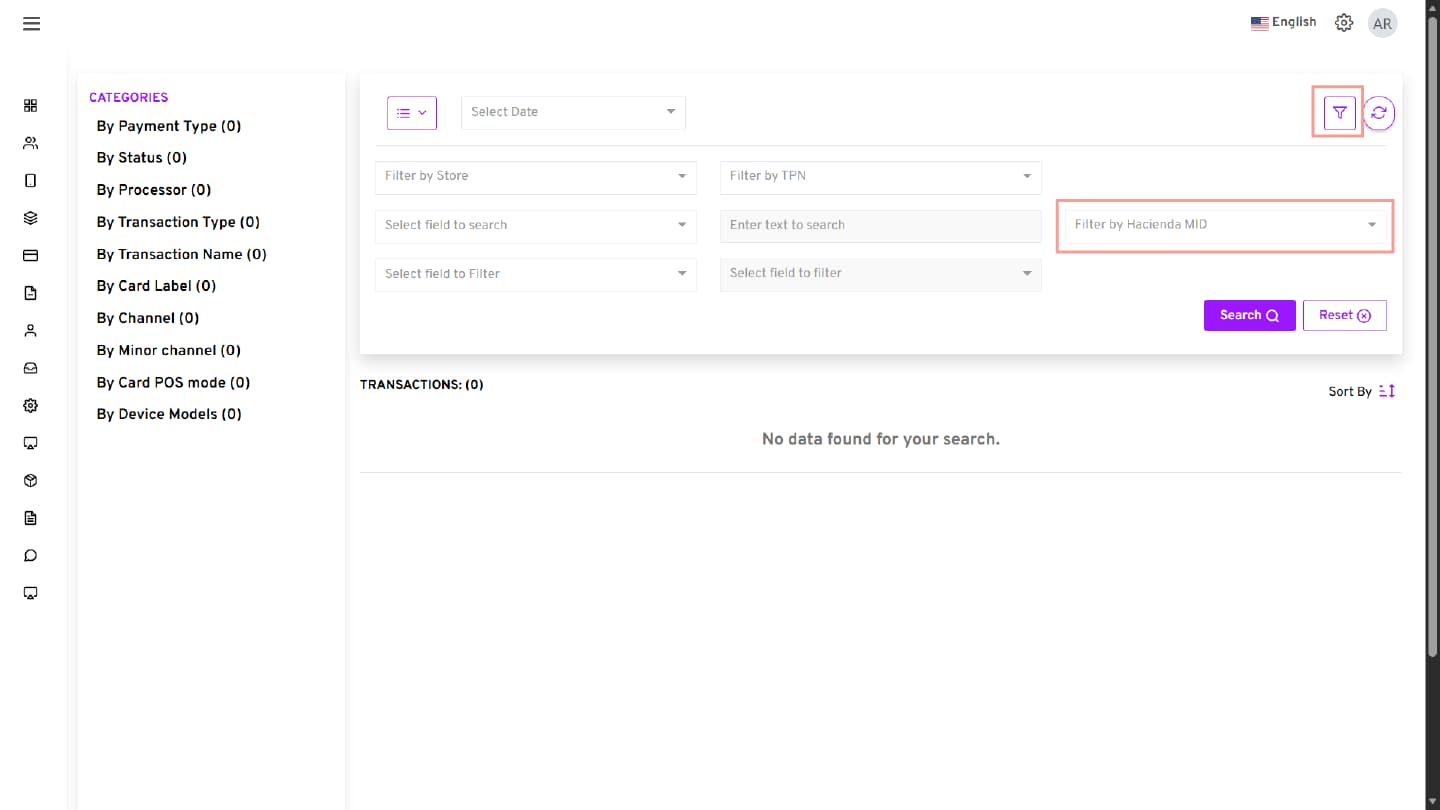
- Click the More Filters icon
- Locate the Filter by Hacienda MID option
- Enter the Hacienda MID
- Select the MID from the suggestion list (if applicable)
- Click Search to view matching transactions
Behavior
| Condition | Result |
|---|---|
| Valid Hacienda MID | Displays matching transactions |
| Multiple MID selection | Returns transactions for all selected MIDs |
| Invalid or unavailable MID | No results found |
| Search without Hacienda MID | Existing search behavior remains unchanged |
This enhancement improves transaction search accuracy and simplifies transaction lookup using Hacienda MID-based filtering.