Enhanced Download Logs
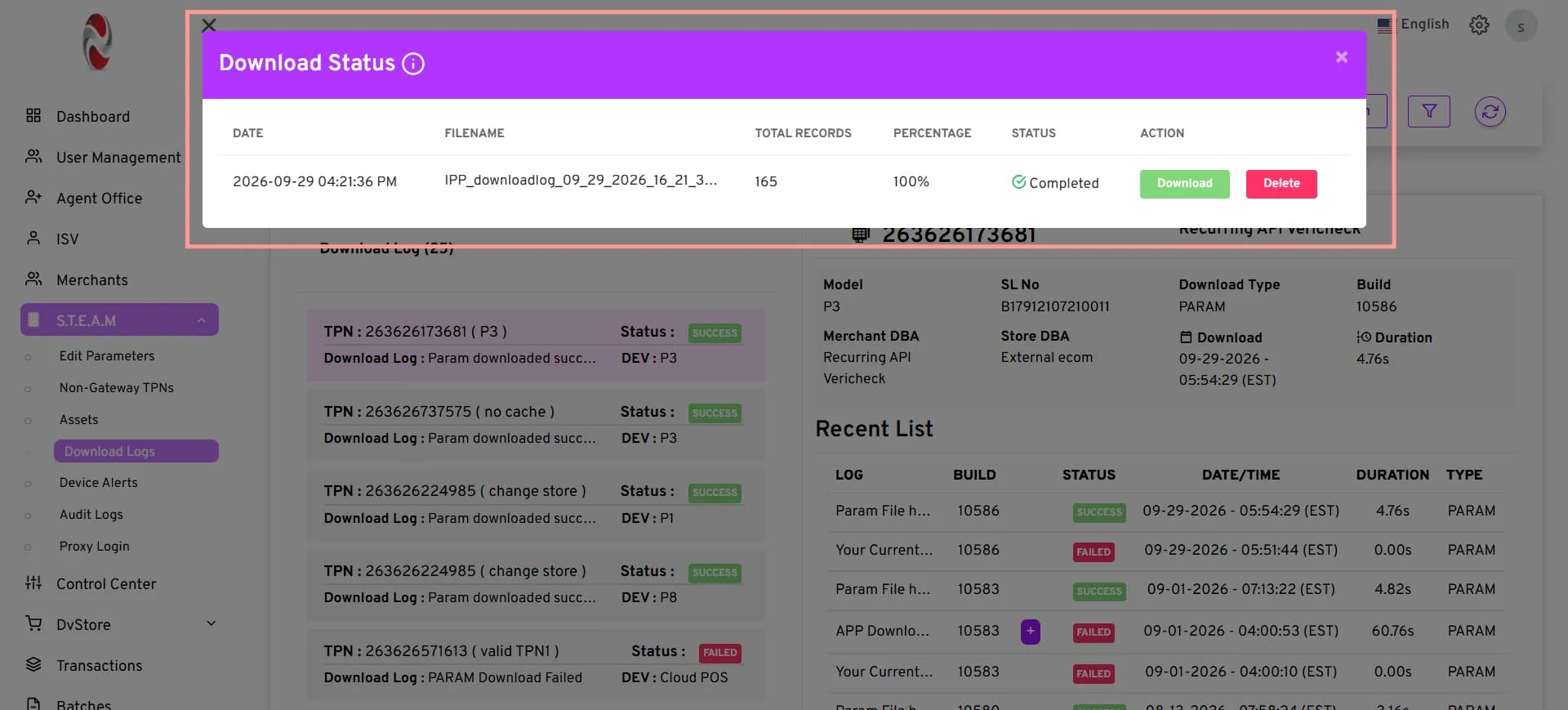
The Download Logs page now provides an easier way to search and manage download records. Users can use additional filters to quickly find the records they need and review download requests in one place. The updated page also makes it easier to work with multiple download types and monitor the status of requested files. Users can view completed, in-progress, failed, or cancelled downloads from the Downloaded List.
Key Benefits
- Quickly find download records using Merchant DBA and Store DBA filters.
- Select multiple Download Types to refine search results.
- Easily track the status of requested downloads.
- Manage downloaded files from the Downloaded List.
Newly Added Filters
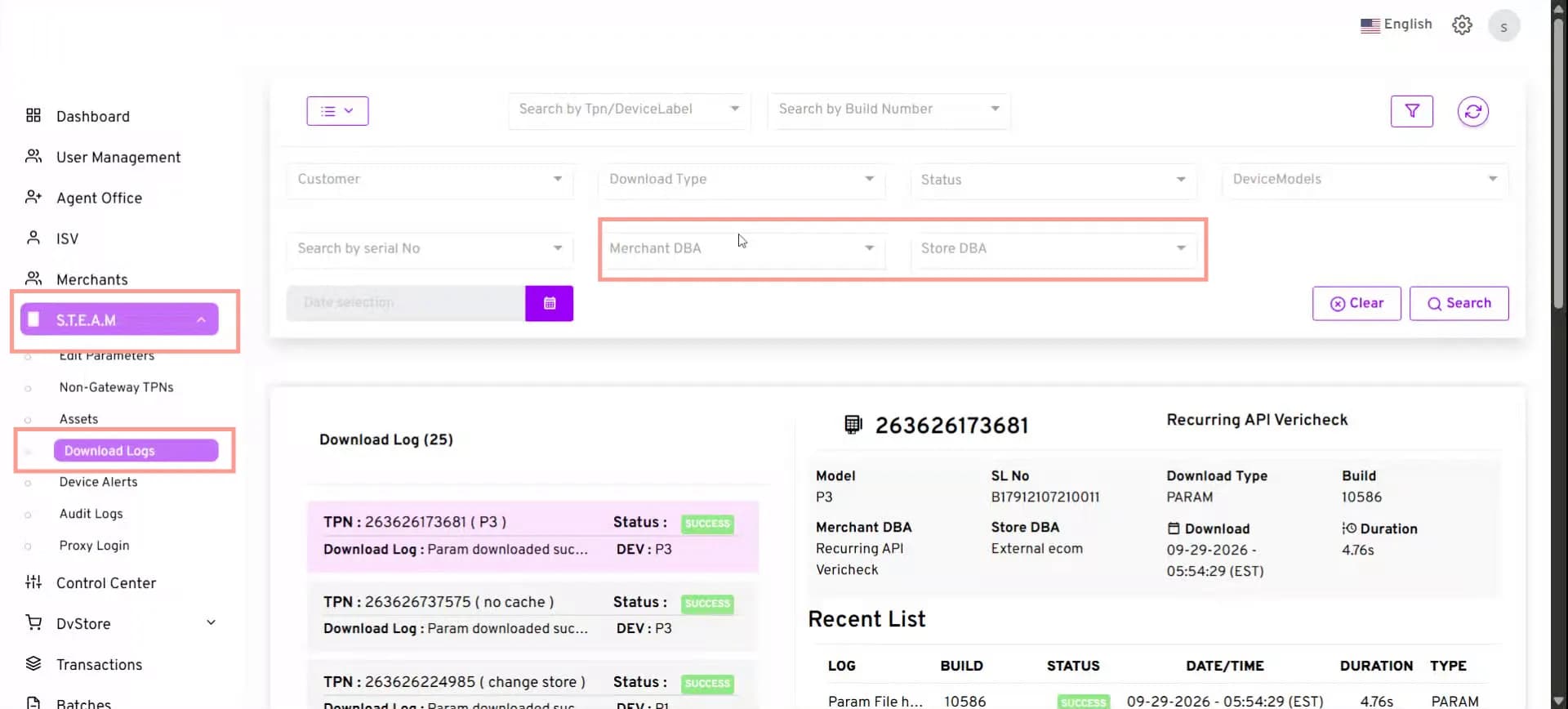
Merchant DBA and Store DBA filters are now available to refine Download Logs search results.
How to Access the Merchant DBA and Store DBA Filters
- Click S.T.E.A.M. → Download Logs.
- In the Download Logs search filters, locate the Merchant DBA and Store DBA fields.
- Select the required Merchant DBA and Store DBA to filter the download log results.
- Click Search to view the filtered results.
Downloaded List
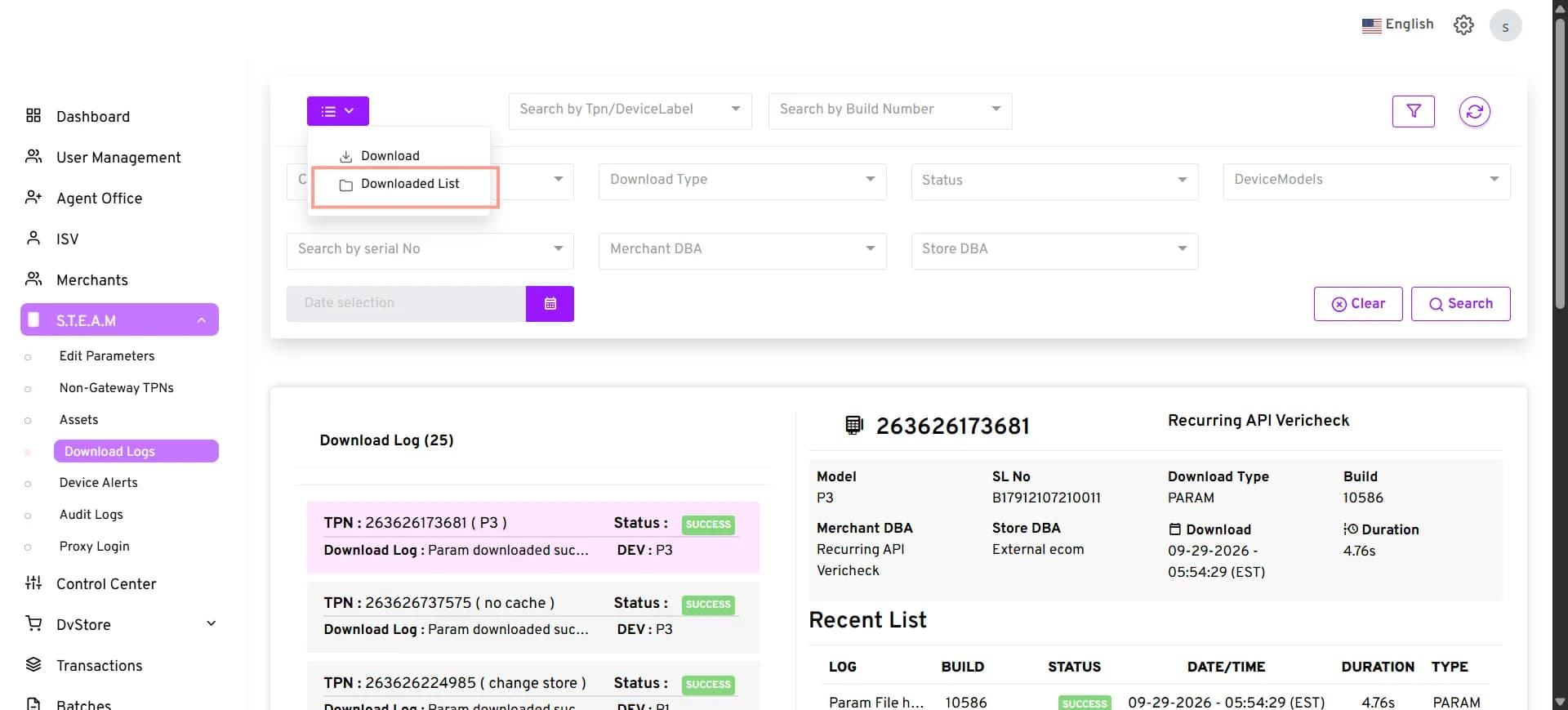
The Downloaded List displays your CSV download requests and their current status. You can download completed files or delete download records as needed.
How to Access the Downloaded List
- Click S.T.E.A.M. → Download Logs.
- Click the Menu button.
- Select Downloaded List.