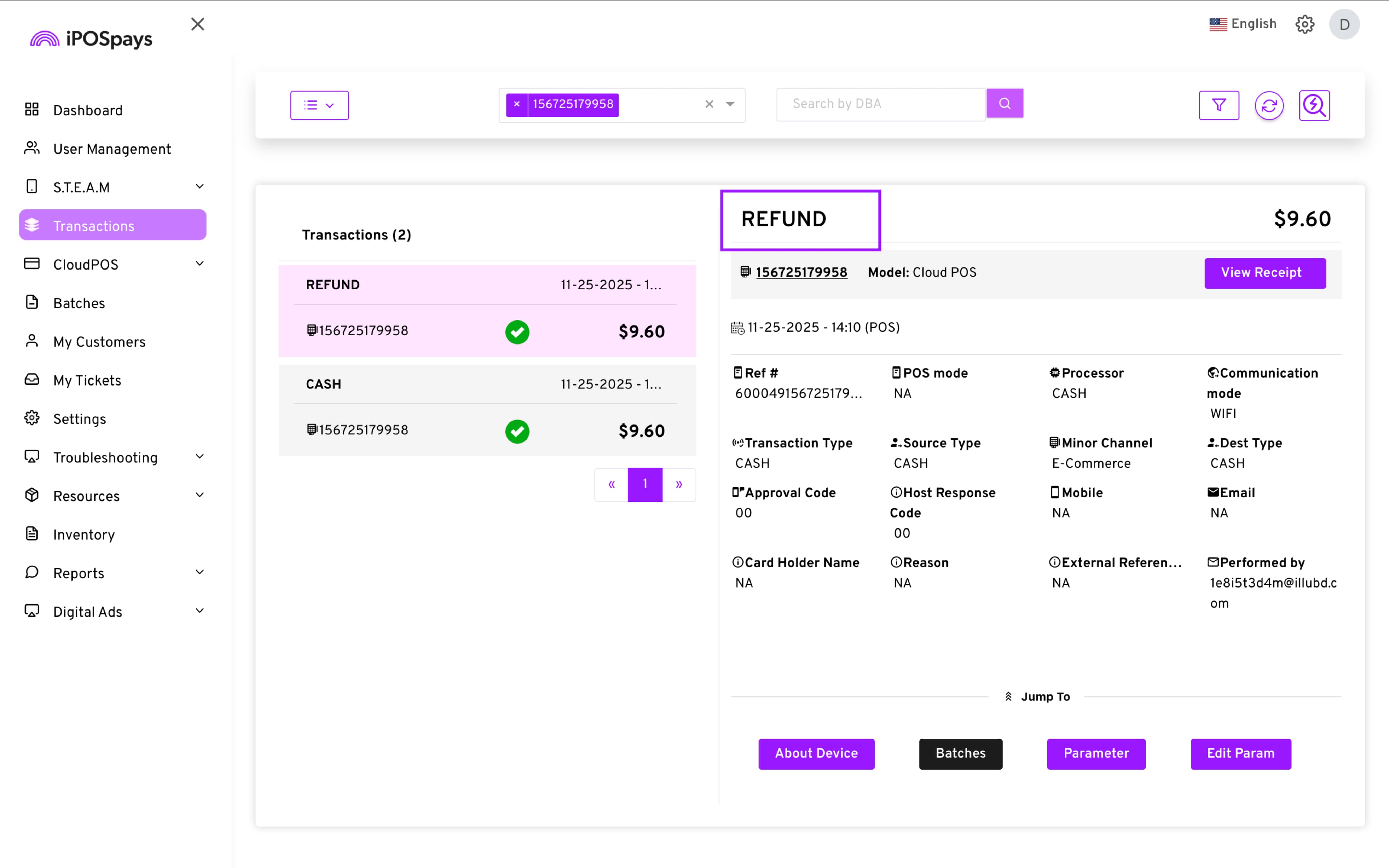
Cash Refund Support for CloudPOS
Merchants can now process Cash Refunds from their iPOSpays portal in the CloudPOS → Pay Now screen. This enhancement ensures cash transactions follow the same consistent flow as other payment methods while supporting downloadable reports and batch handling.
Feature Compatibility
-
Minimum Required POS Build: Not Applicable
-
Supported Platforms: CloudPOS → Pay Now
-
Supported Payment Processor: Not Applicable
What’s New
-
Cash transactions can now be refunded on the CloudPOS → Pay Now screen and from the Transactions module
-
Void is not allowed for cash transactions — only a fund is shown.
Prerequisites
-
User must have the REFUND permission enabled.
-
Cash refunds do not support voiding at any point.
-
Screens have been updated to display Refund or Cash Refund only, based on transaction type.
How to Make a Standalone Cash Refund
You can perform standalone cash refunds on the CloudPOS → Pay Now screen.
To do this:
-
Log in to the iPOSpays portal using merchant credentials.
-
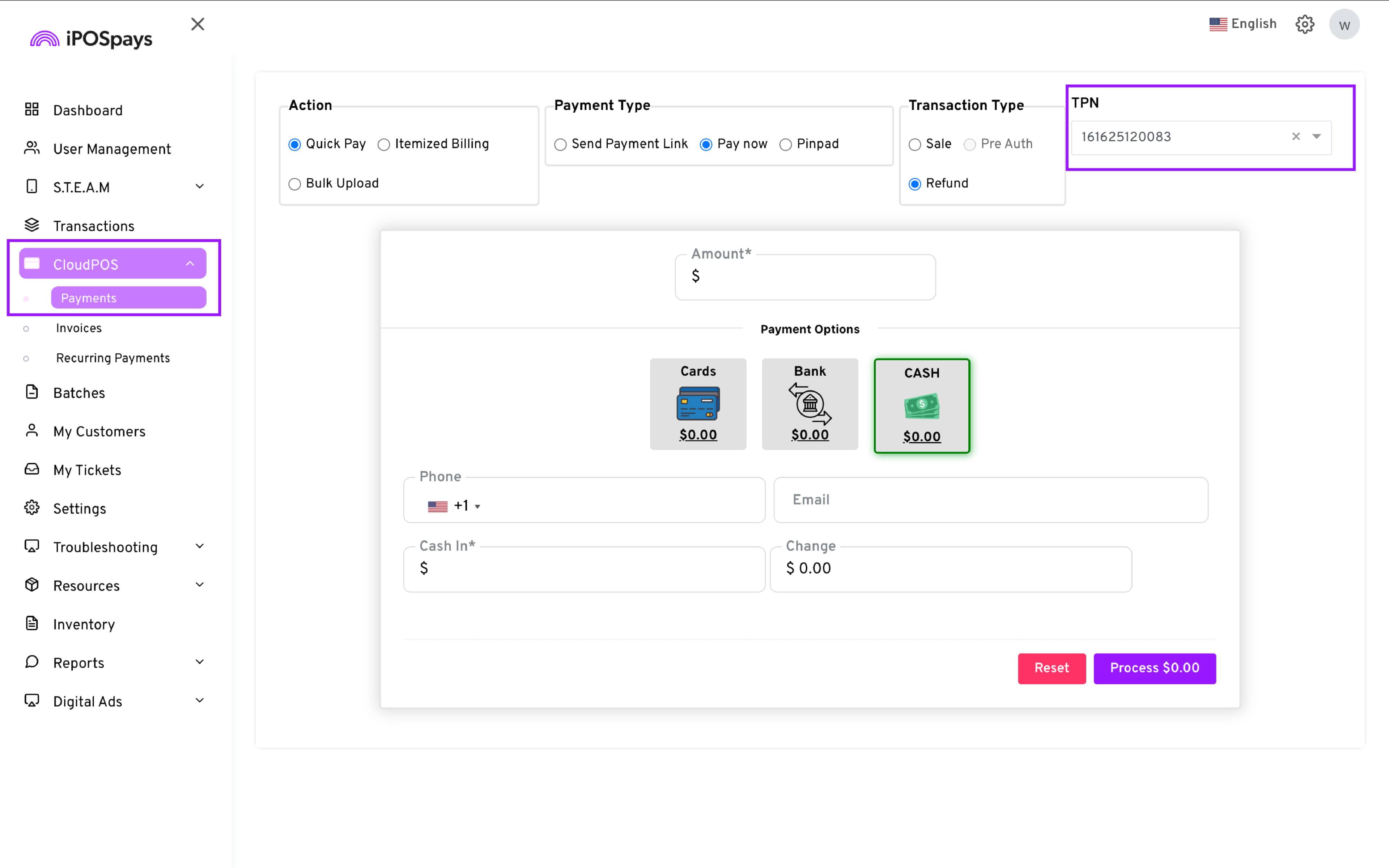
Click on CloudPOS → Payments.
-
Select the desired TPN from the drop-down menu.
- Configure the transaction:
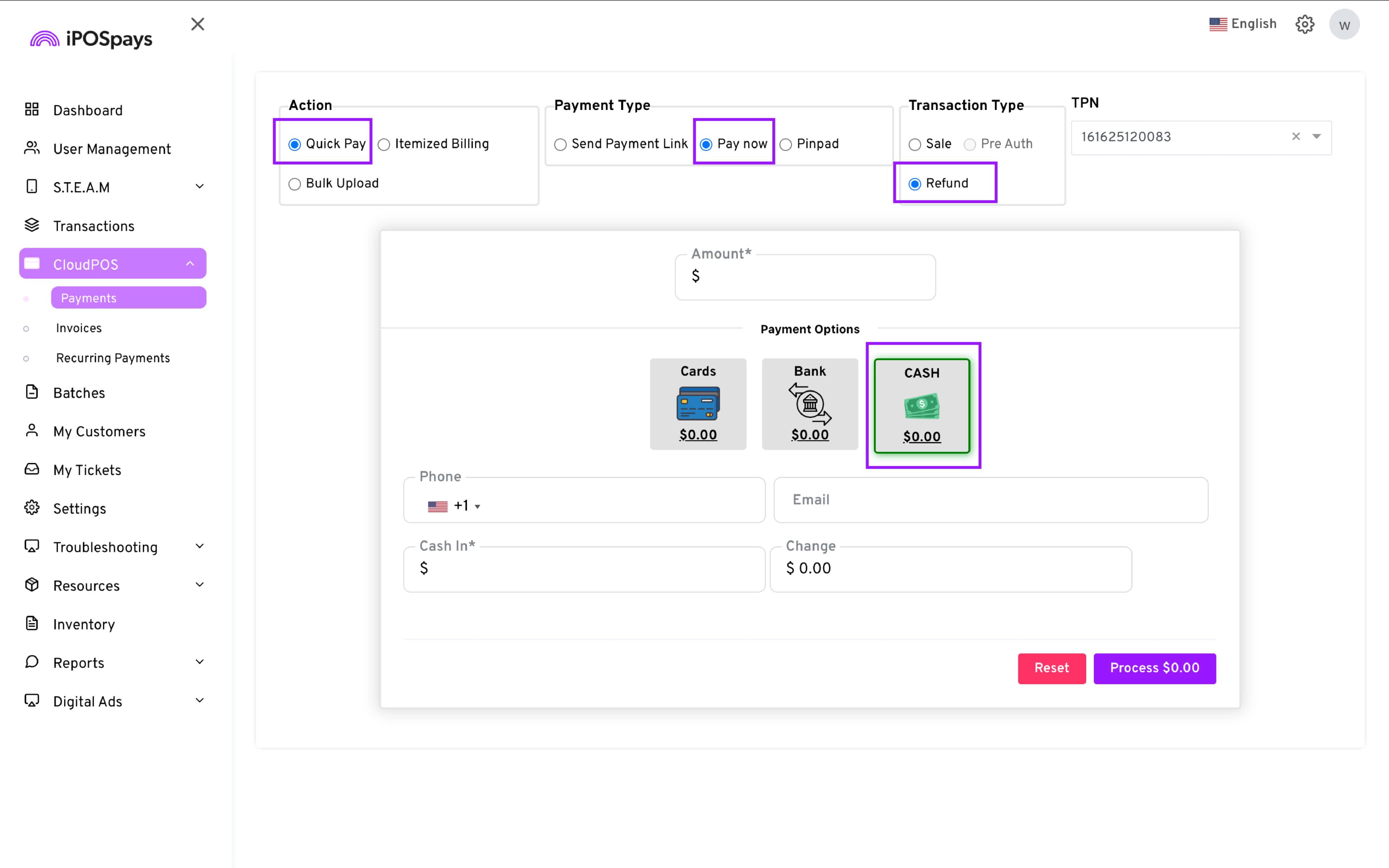
-
Action: Quick Pay
-
Payment Type: Pay now
-
Transaction Type: Refund
-
Payment Options: Cash
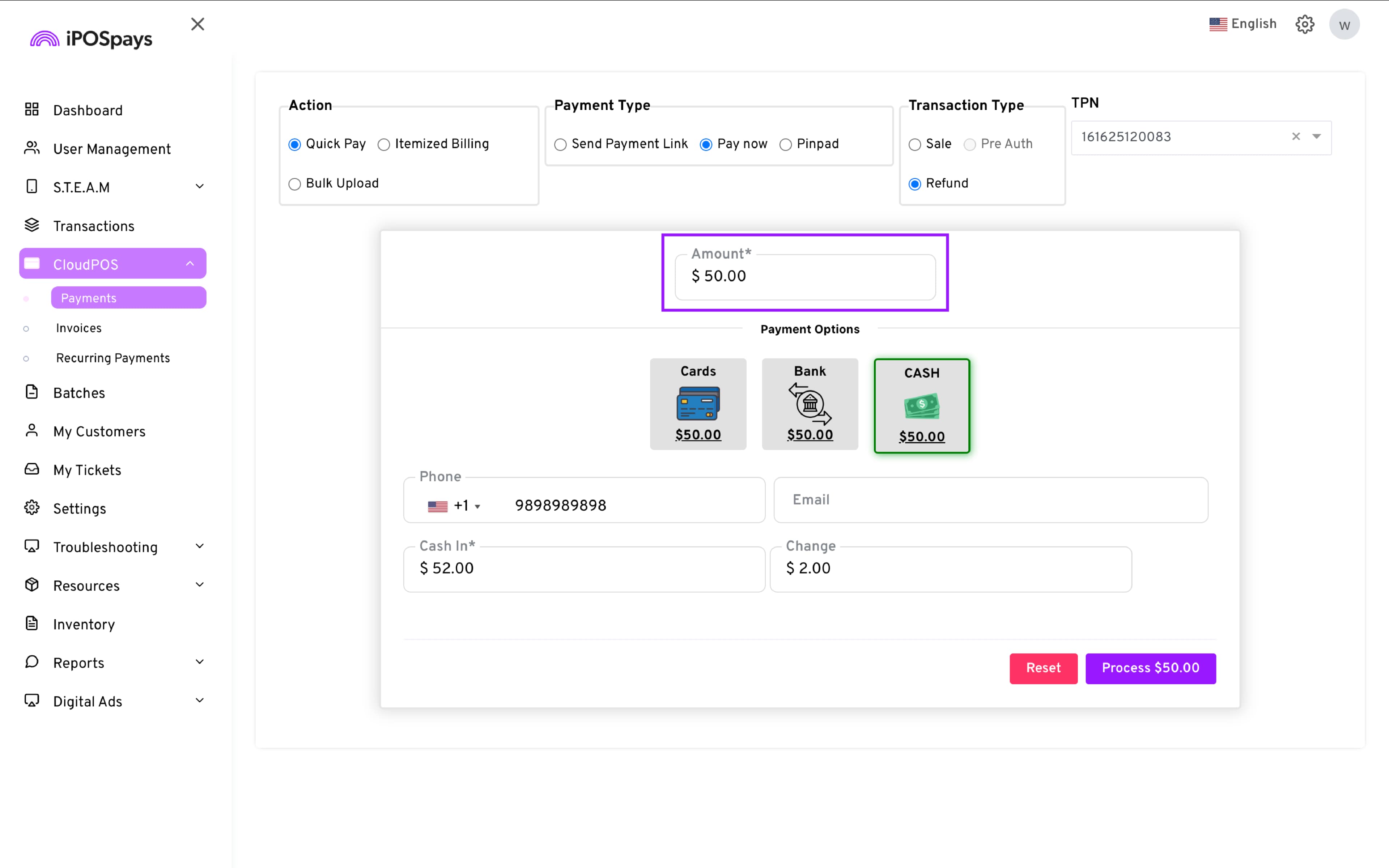
- Enter the cash amount of the product/service in the Amount field.
-
Enter phone number and email in their respective fields.
-
Enter the amount given by the customer in the ‘Cash In’ field. The change is calculated automatically and displayed in the ‘Change’ field.
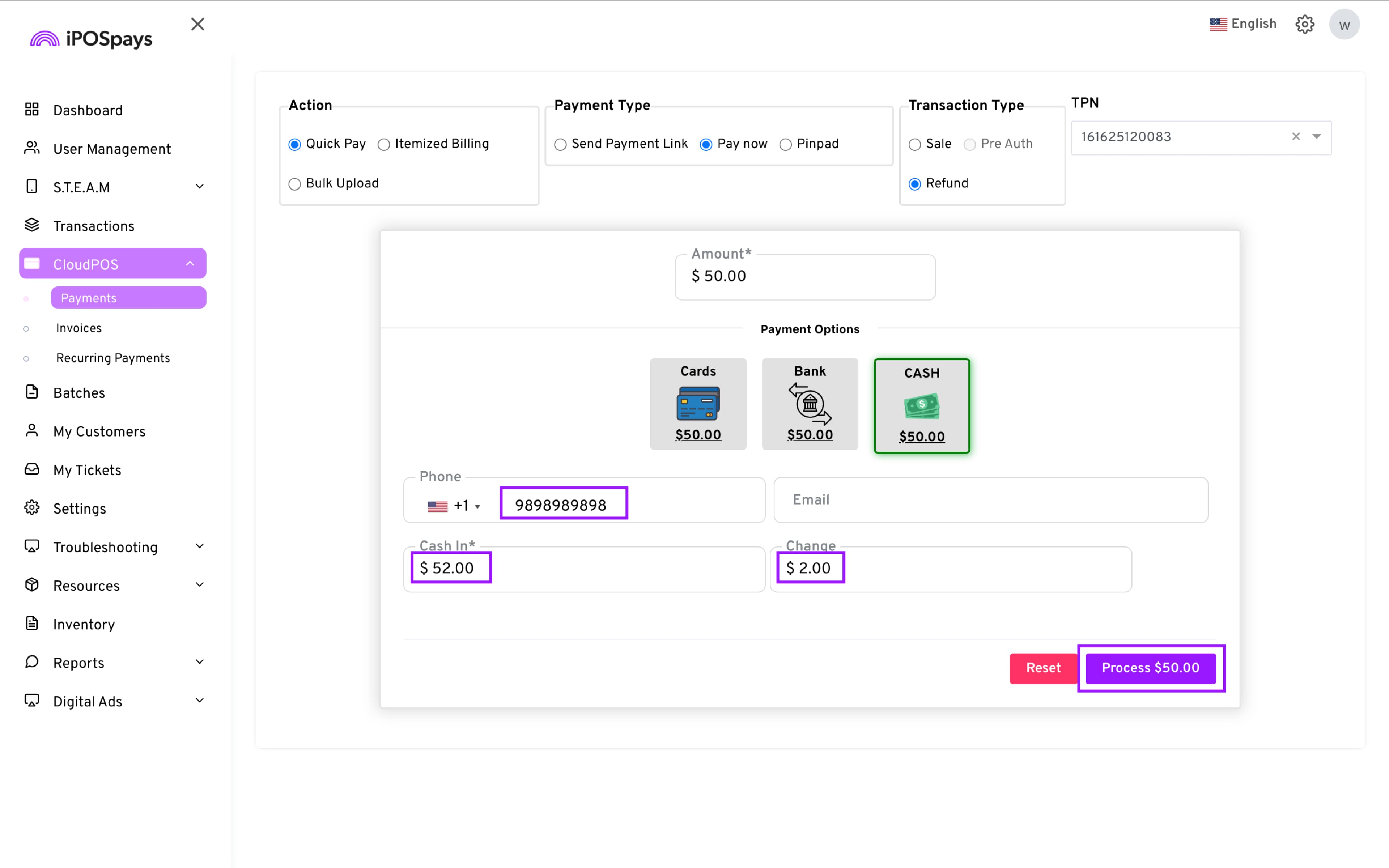
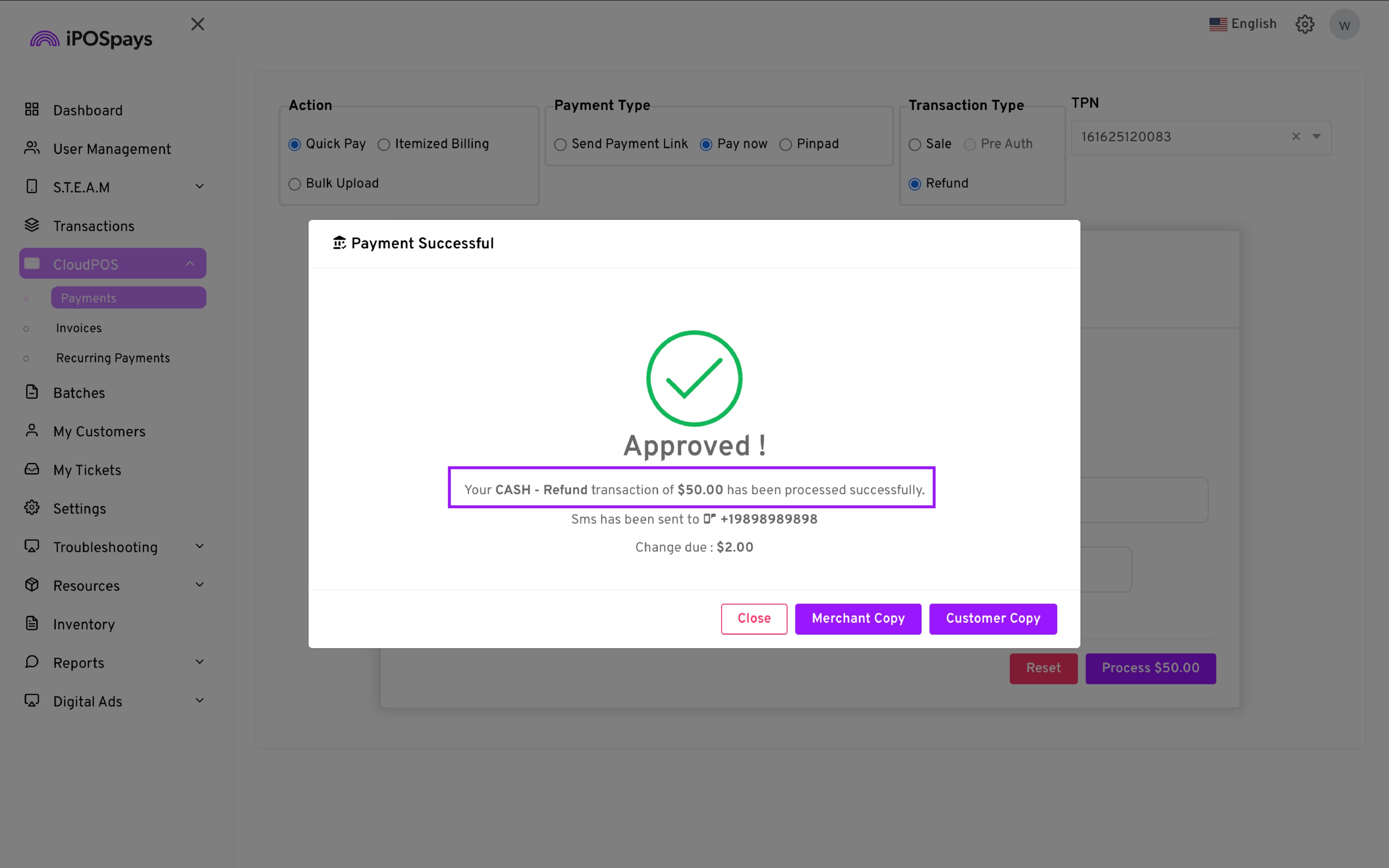
- Click Process to complete the transaction.
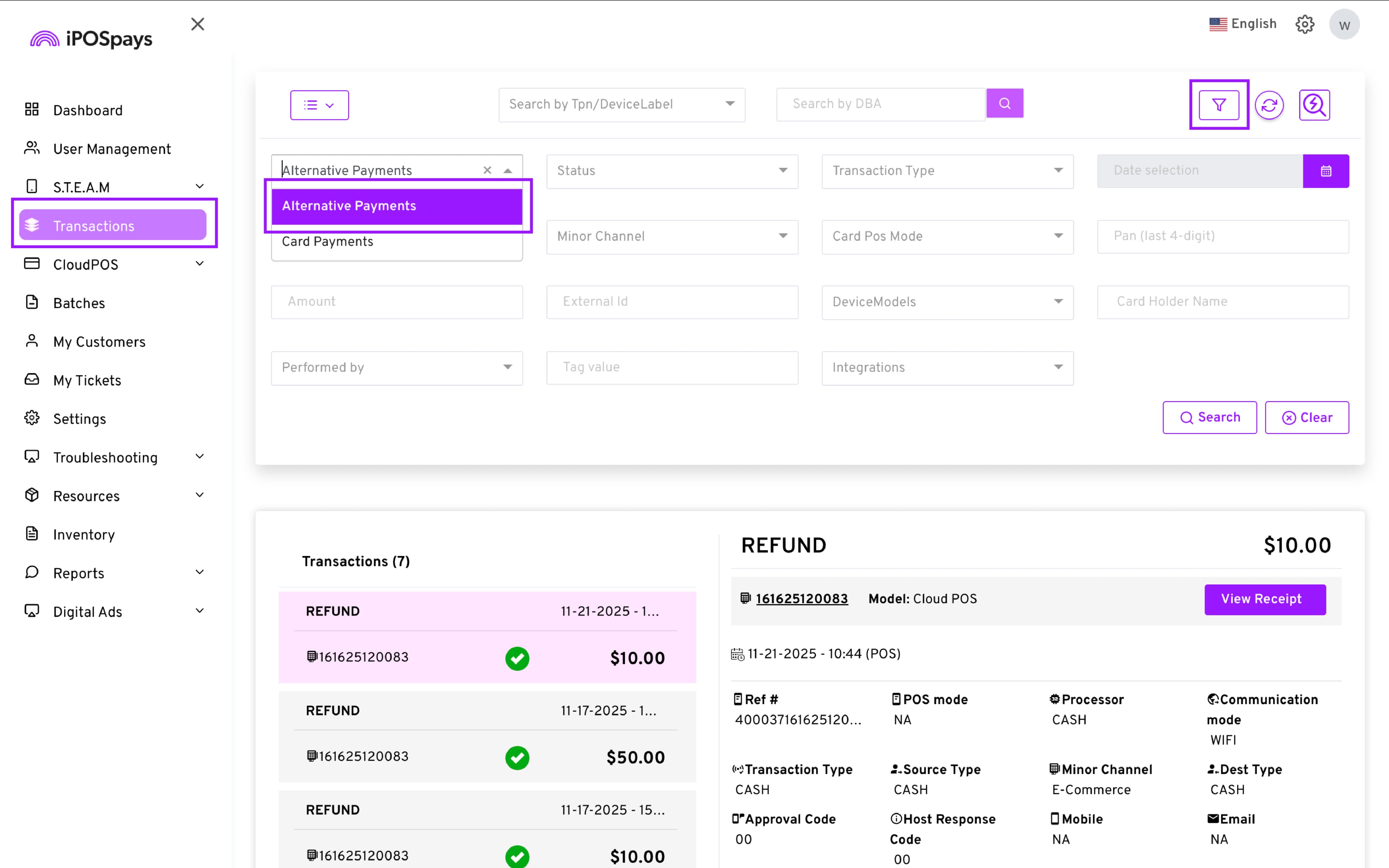
- The transaction appears in the Transactions module → Filter icon → Alternative Payments.
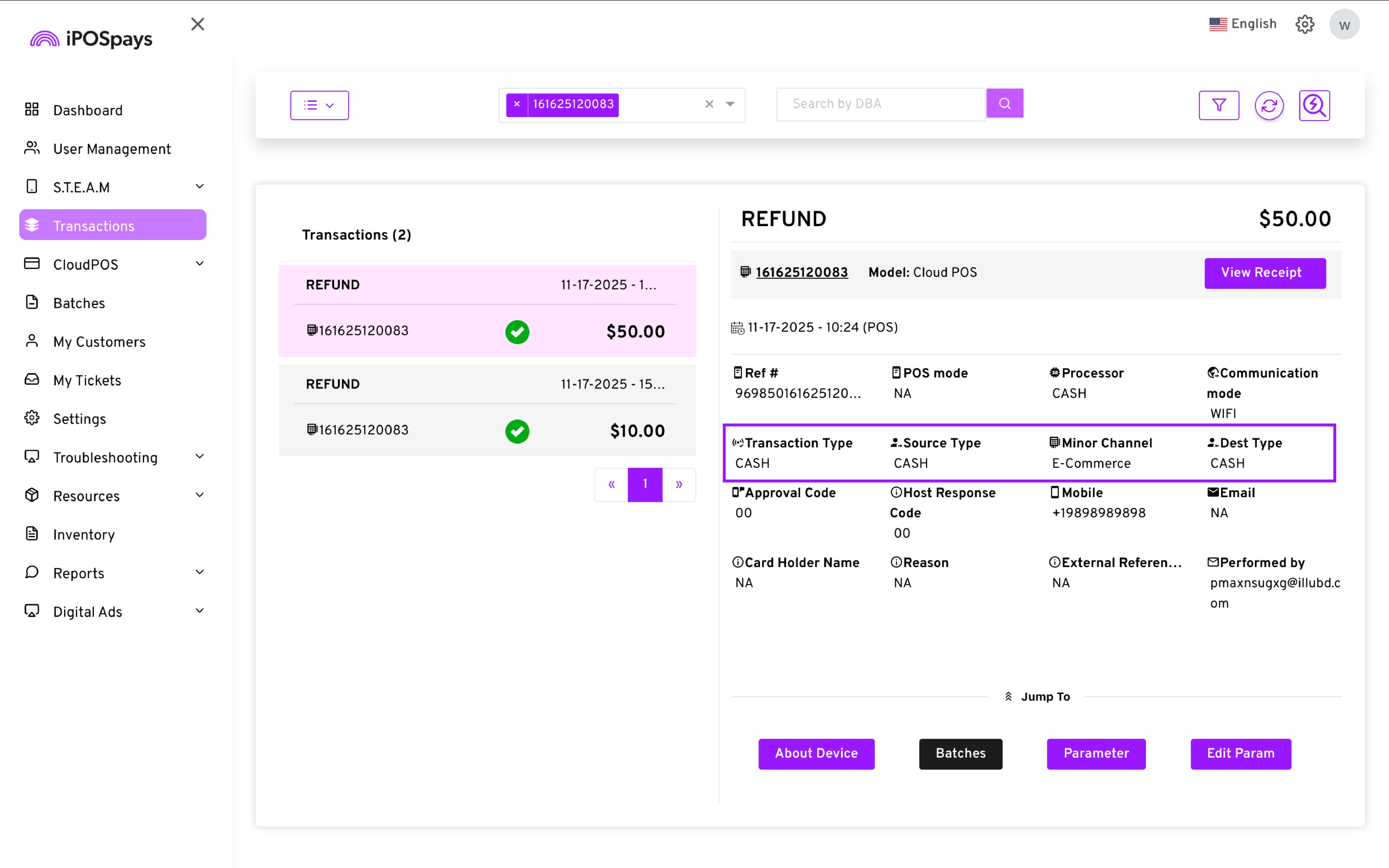
- Transaction signatures will indicate CASH.
How to Refund an Existing Cash Transaction
- Transactions module → Filter icon → Alternative Payments.
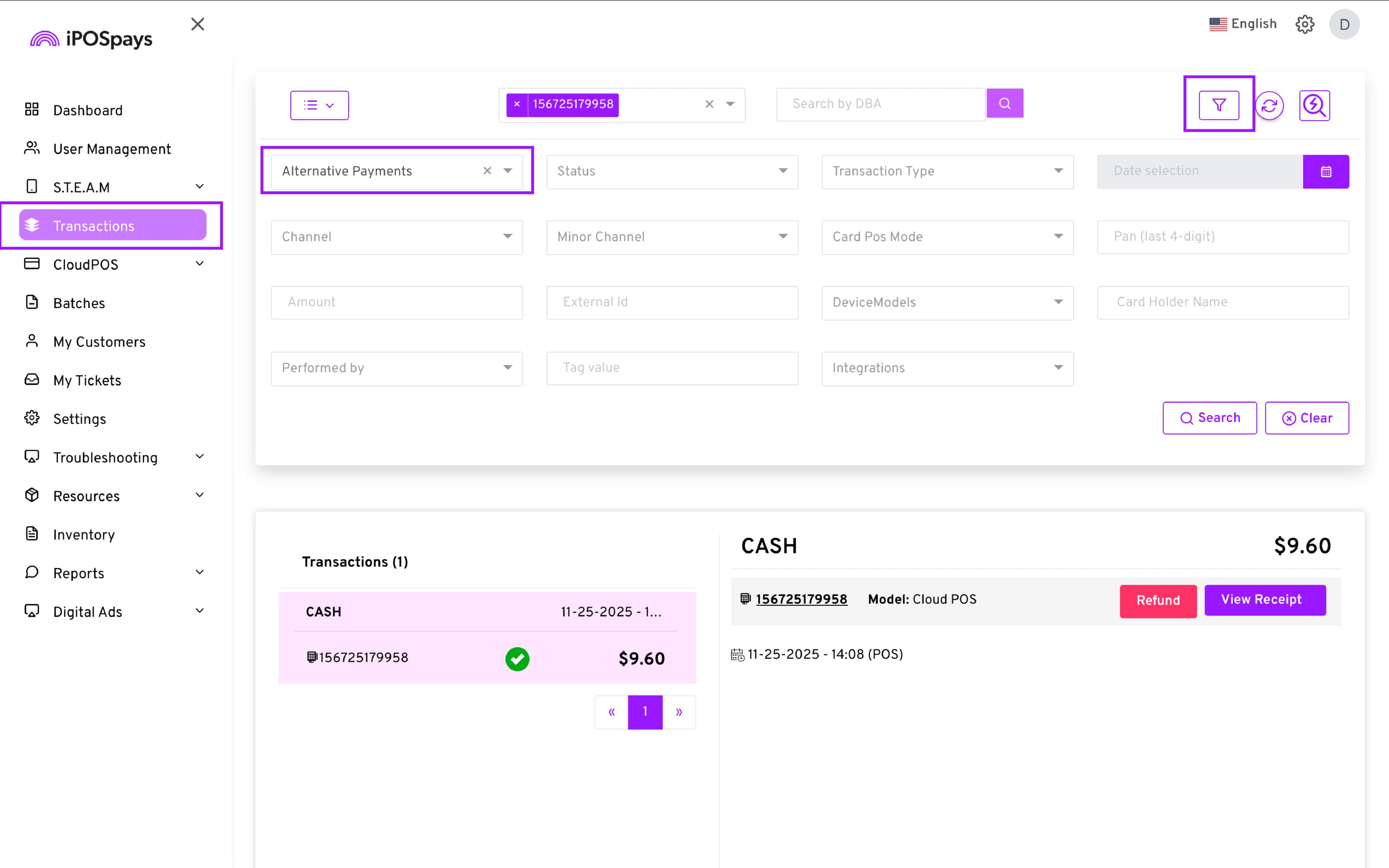
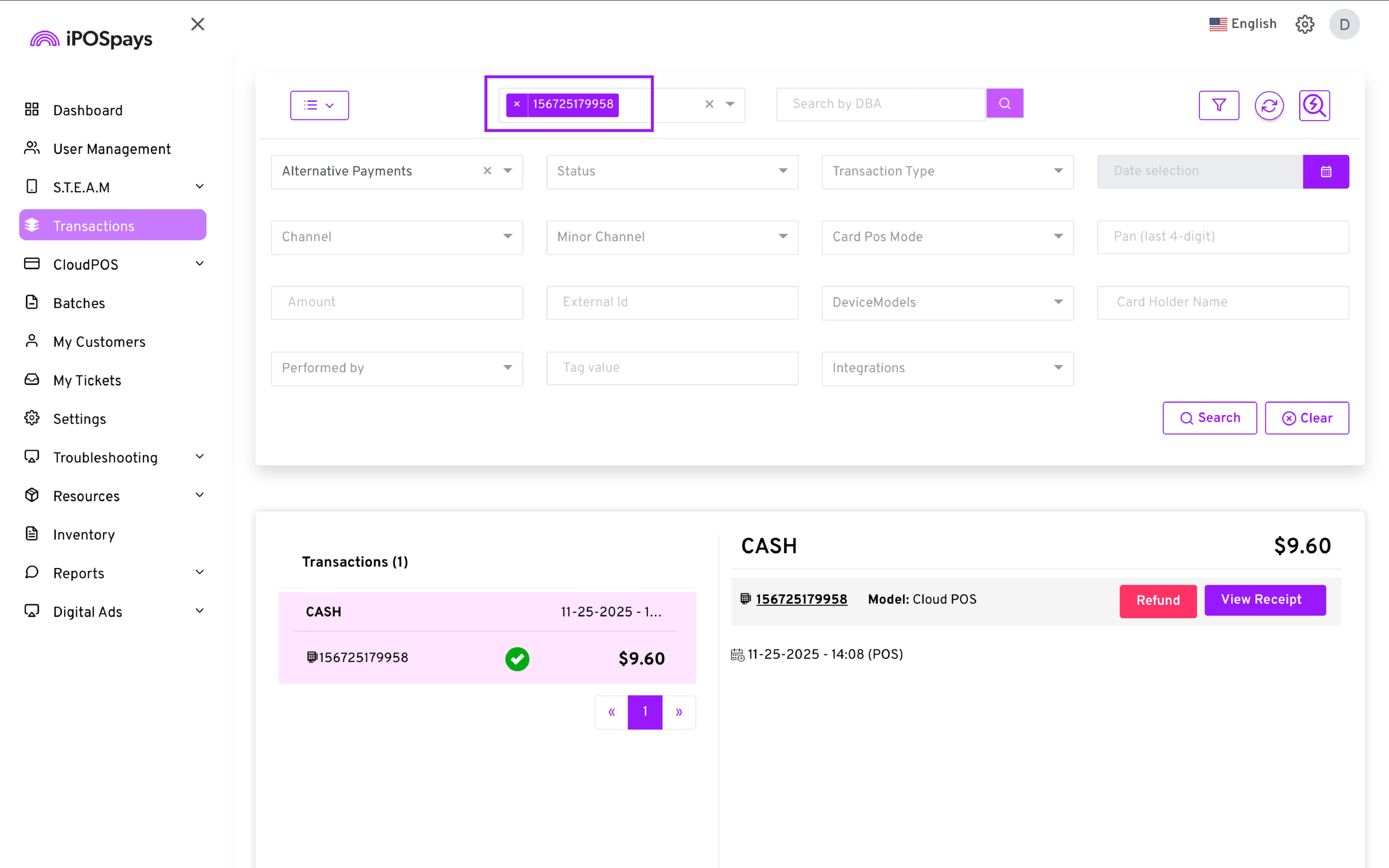
- Enter the specific CloudPOS TPN used to perform the cash transaction.
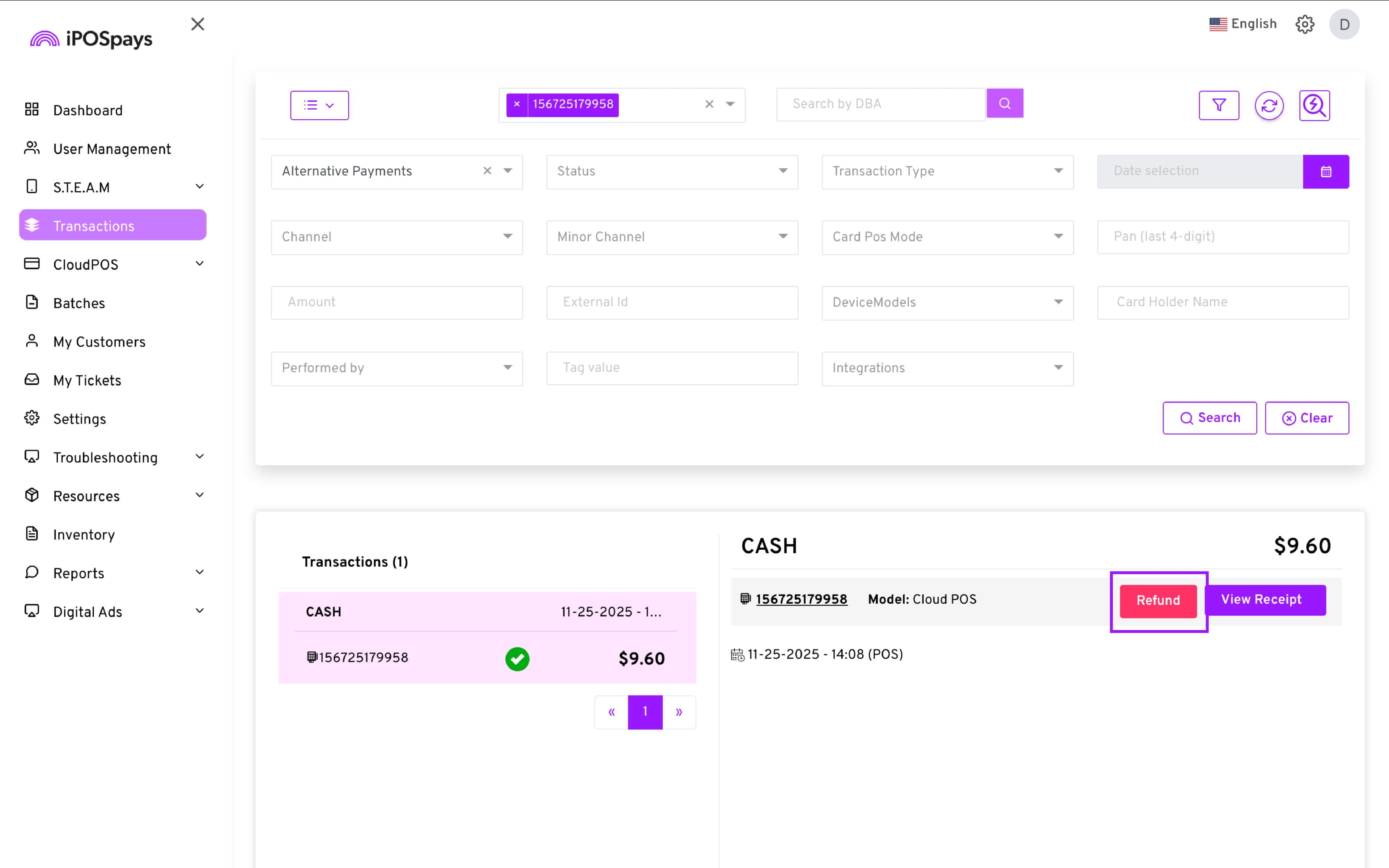
- Select the transaction → Refund.
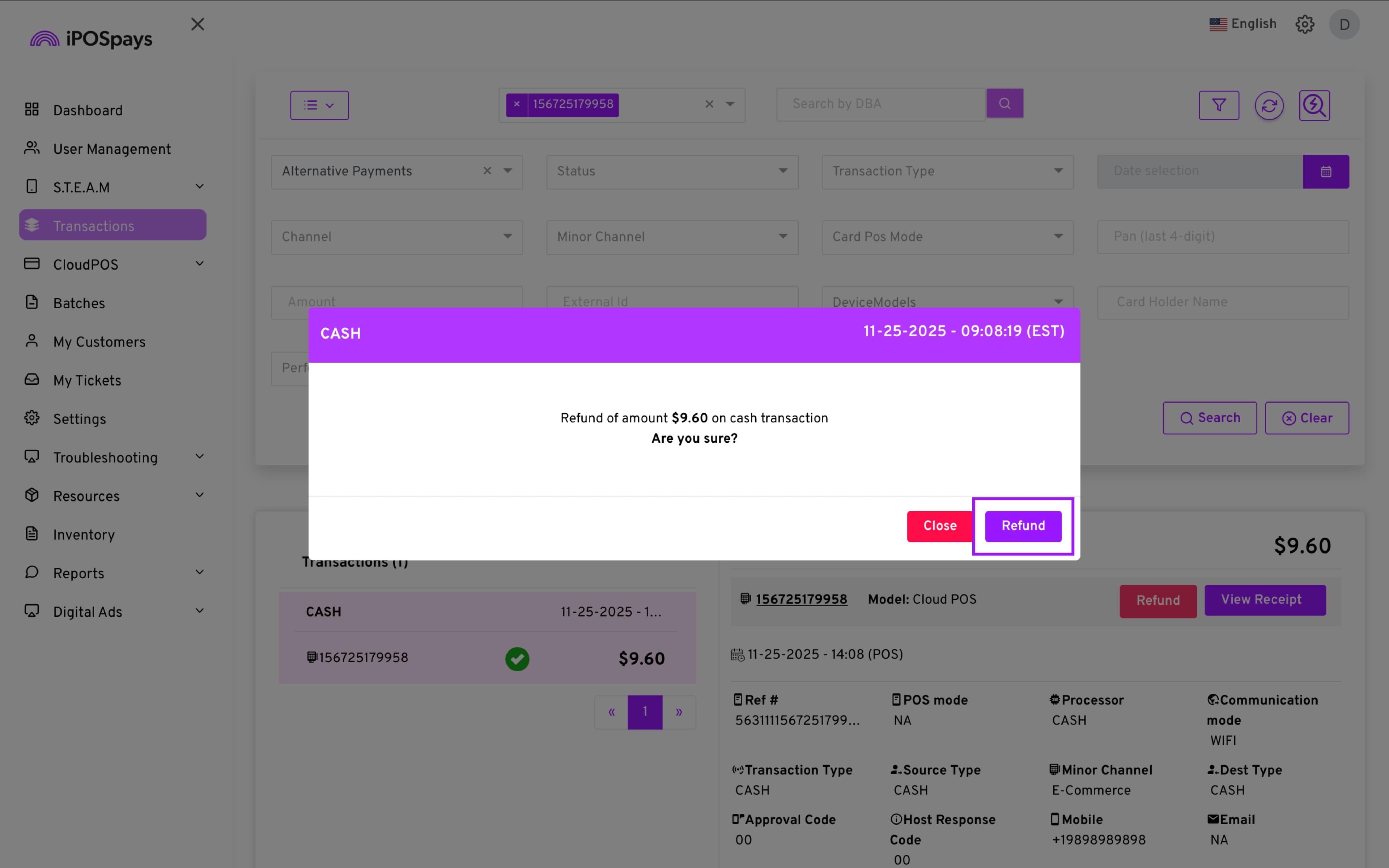
- A prompt will appear asking you to confirm the refund.
- Once the refund is successfully completed, the transaction label will change from CASH to REFUND.