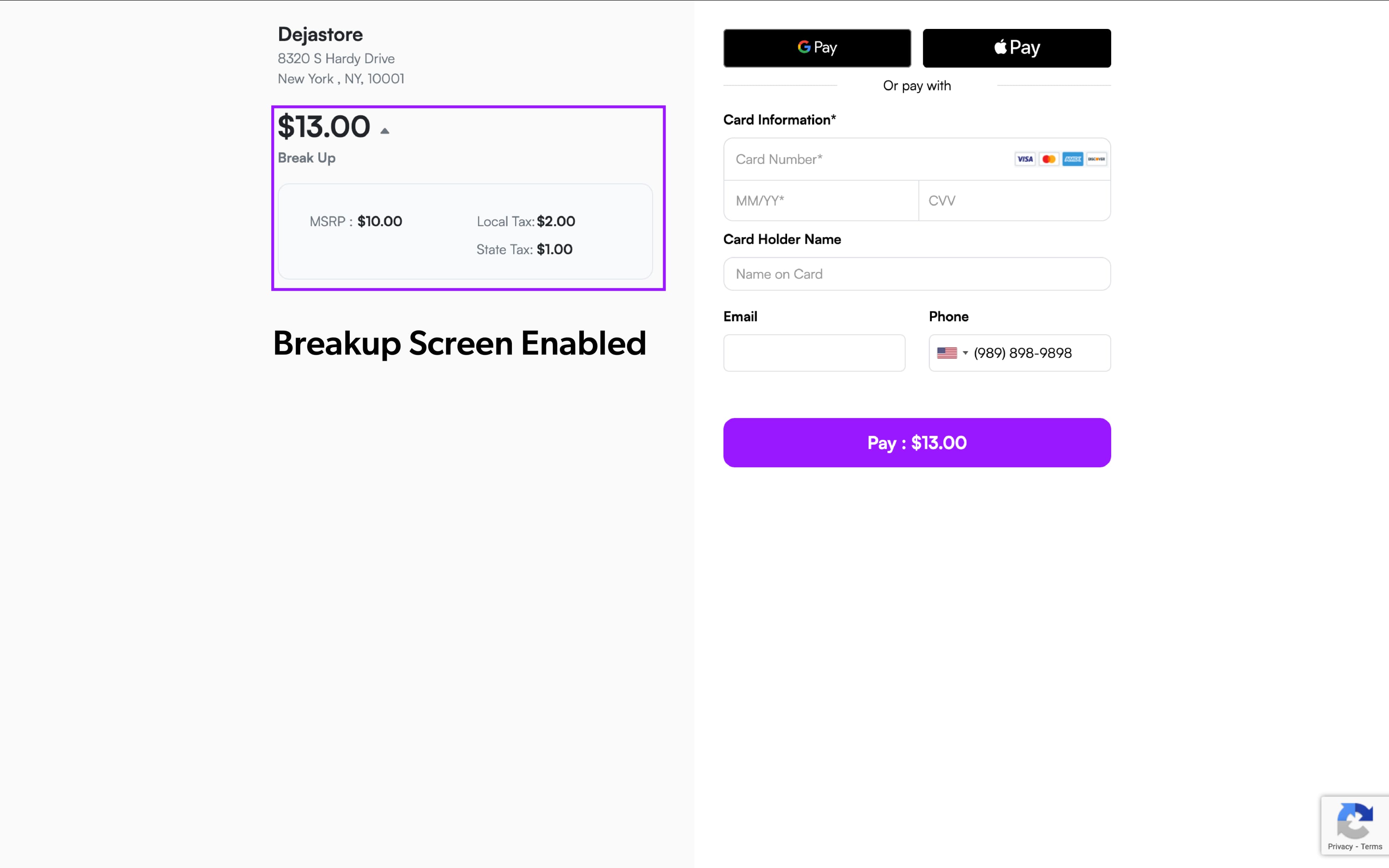
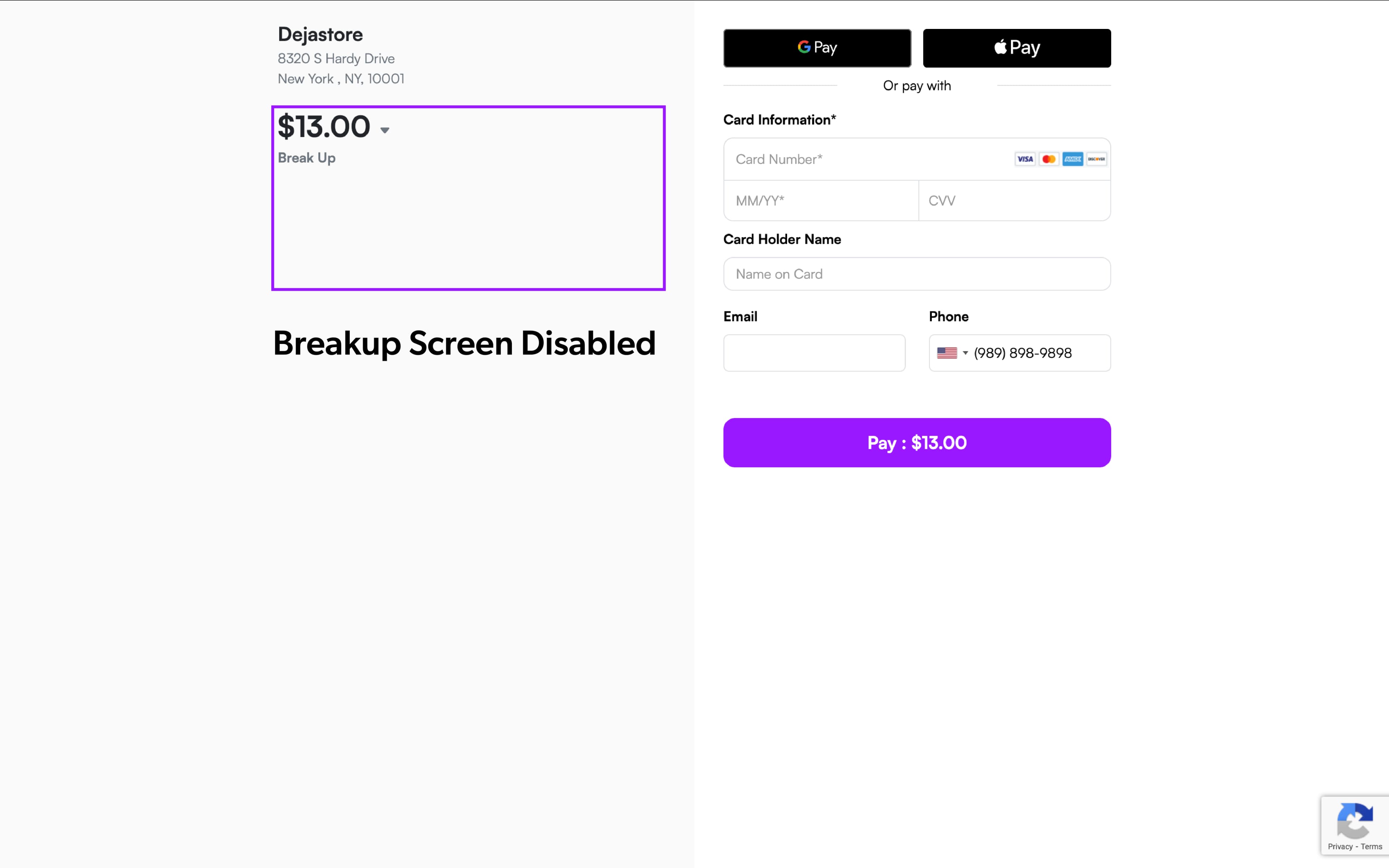
Breakup Screen Now Optional on HPP & GHPP
Merchants using the Hosted Payment Page (HPP) and Generic Hosted Payment Page (GHPP) can now choose whether to display the Breakup Screen during checkout. This enhancement gives ISOs and merchants greater control over the customer experience on payment links.
What’s New
A new toggle Show Breakup Screen on Payment Links is now available in S.T.E.A.M. When disabled, the breakup screen will be skipped for a faster and more streamlined checkout flow.
Where to Configure
-
Log in to the iPOSpays portal using an ISO account.
-
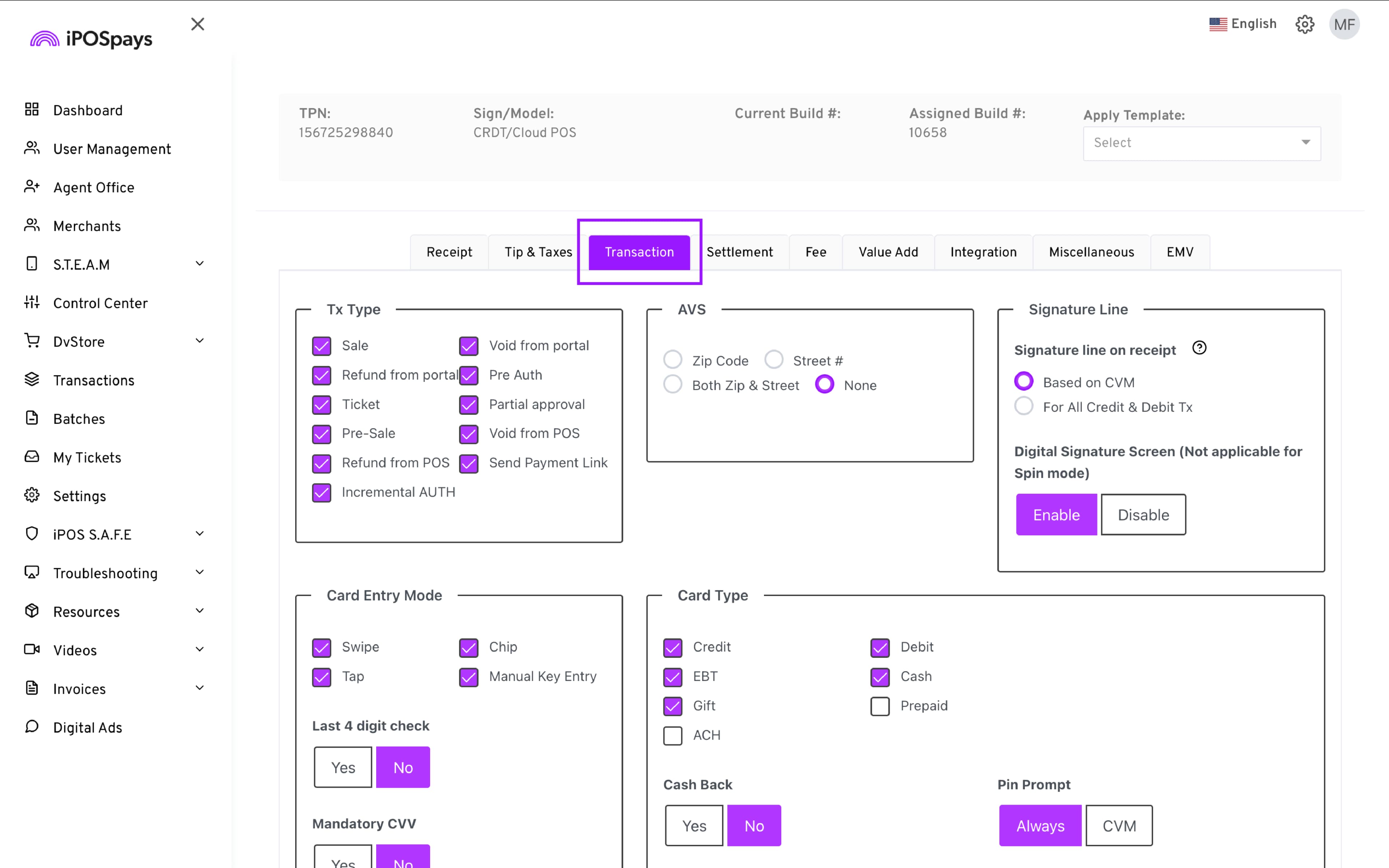
Go to S.T.E.A.M → Use the search box to find and select the TPN → Edit Parameters → Transaction
- Customization → Enable/Disable Show Breakup Screen on Payment Links
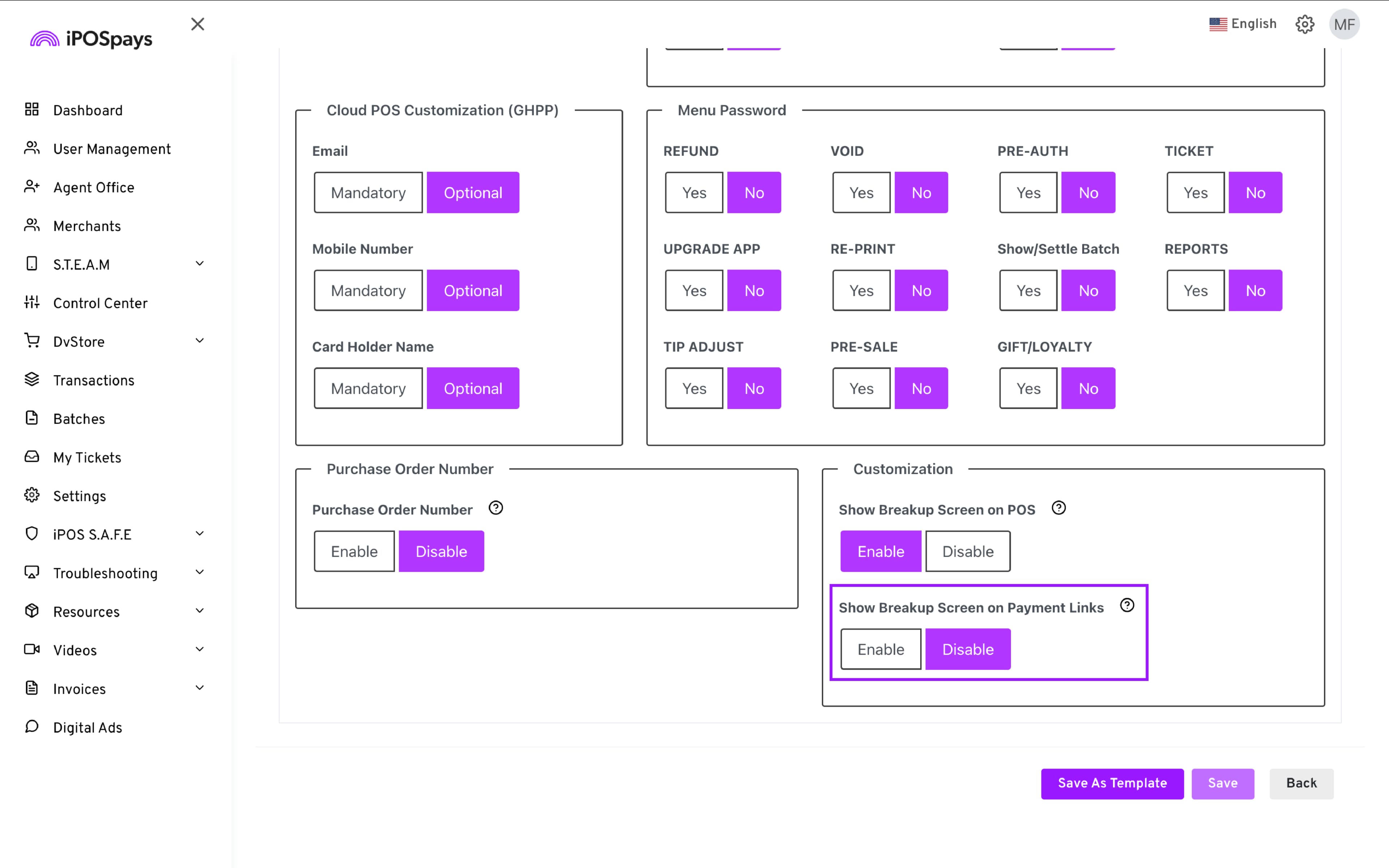
- Click Save for the changes to take effect.