Bank (ACH) Transaction Flexibility: Optional & Mandatory Tags
We’ve enhanced Bank (ACH) transaction processing by introducing the option to enable/disable the customizable tag parameters, giving merchants greater flexibility when capturing and displaying transaction data.
What’s New
-
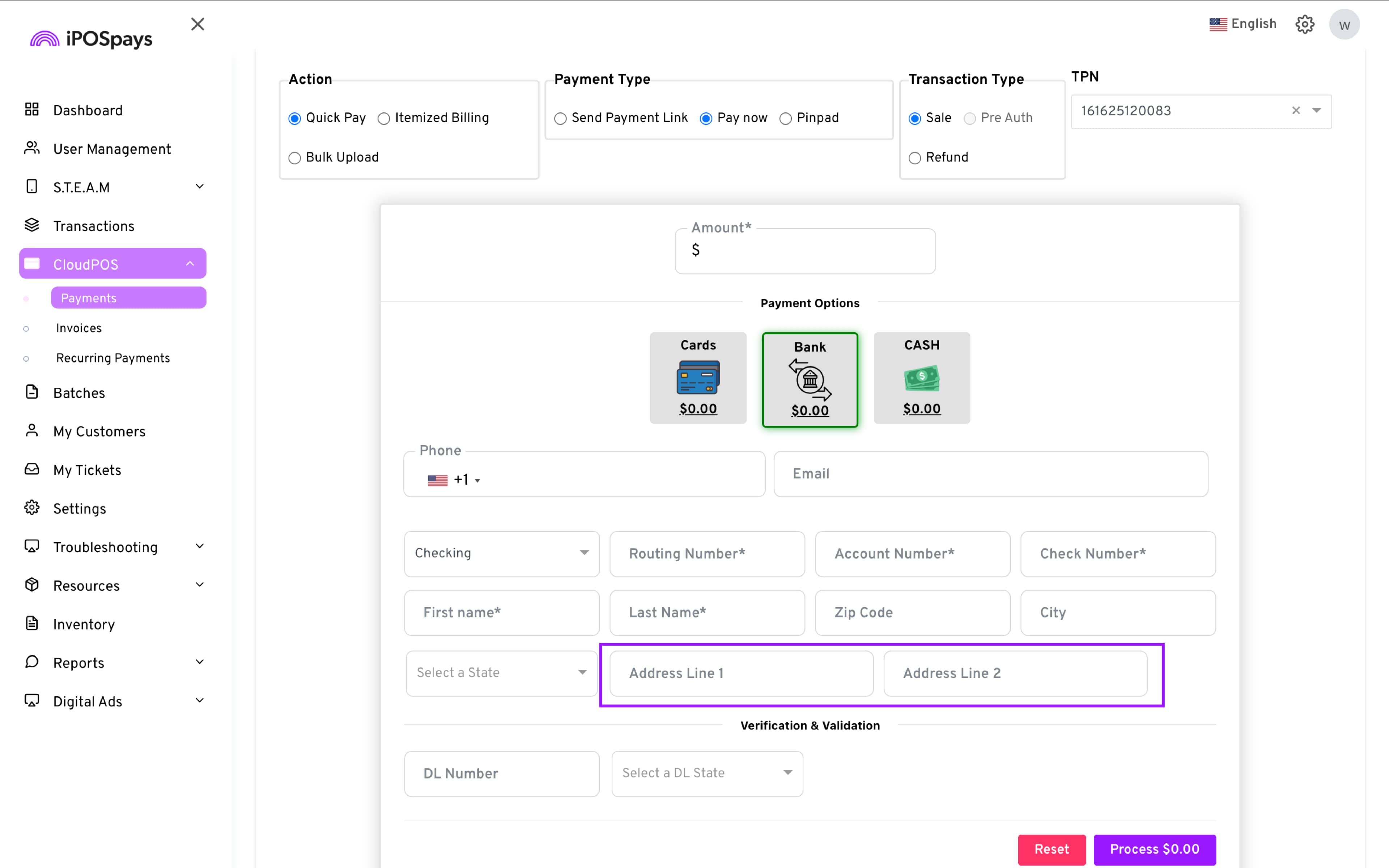
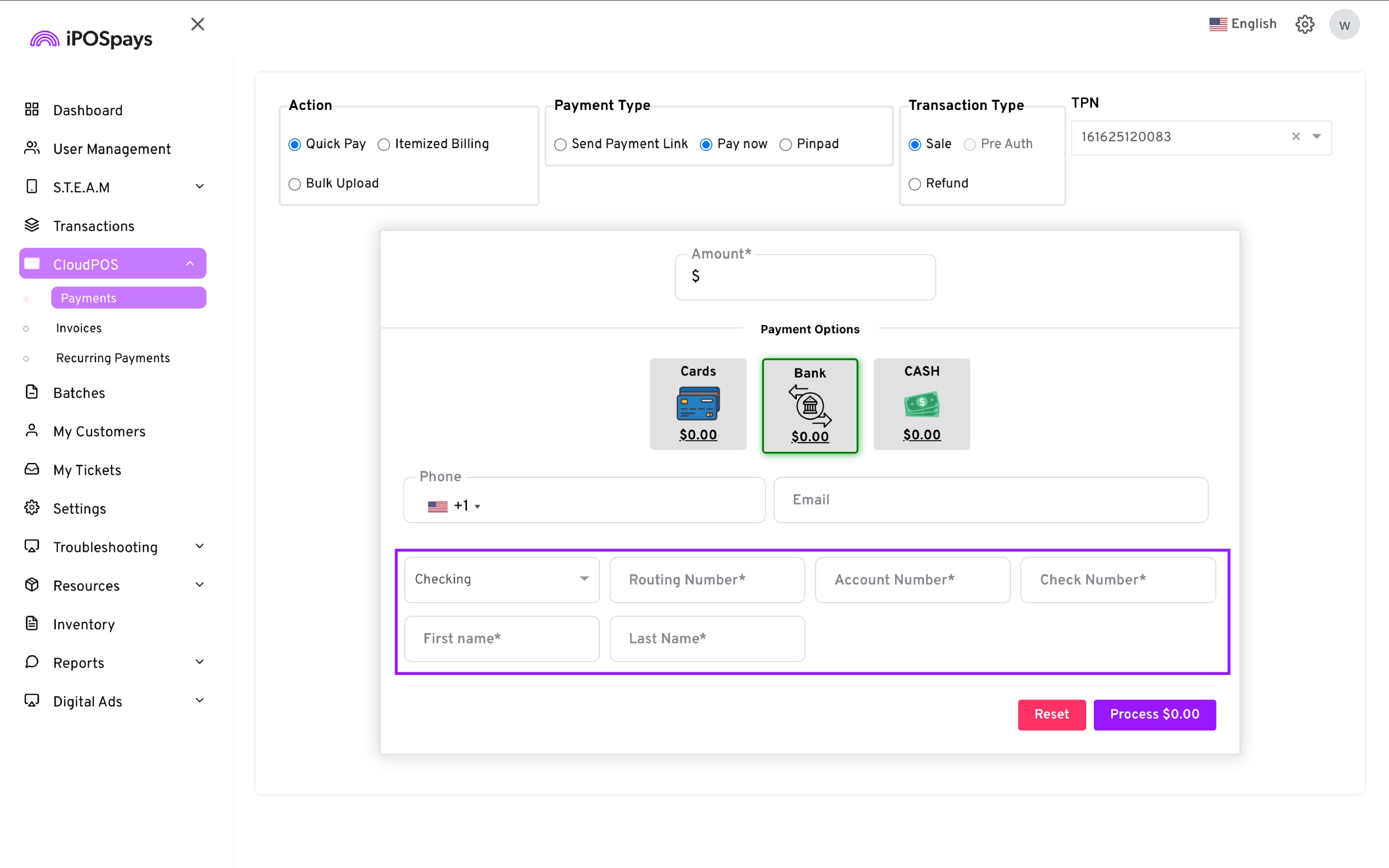
Configurable Optional Fields: Merchants can now enable or disable optional ACH fields using a single toggle at the store level.
-
Default Parameters: Each TPN will automatically include predefined mandatory and optional ACH fields.
-
Store-Level Control: Optional fields are dynamically displayed based on each store’s configuration.
-
Multi-Platform Support: This enhancement applies across Pay Now (CloudPOS), Send Payment Link, Generic Hosted Payment Page (GHPP), and WooCommerce Embedded checkout options.
How to Enable/Disable This for Your Merchants
-
Log in to the iPOSpays portal using your ISO credentials.
-
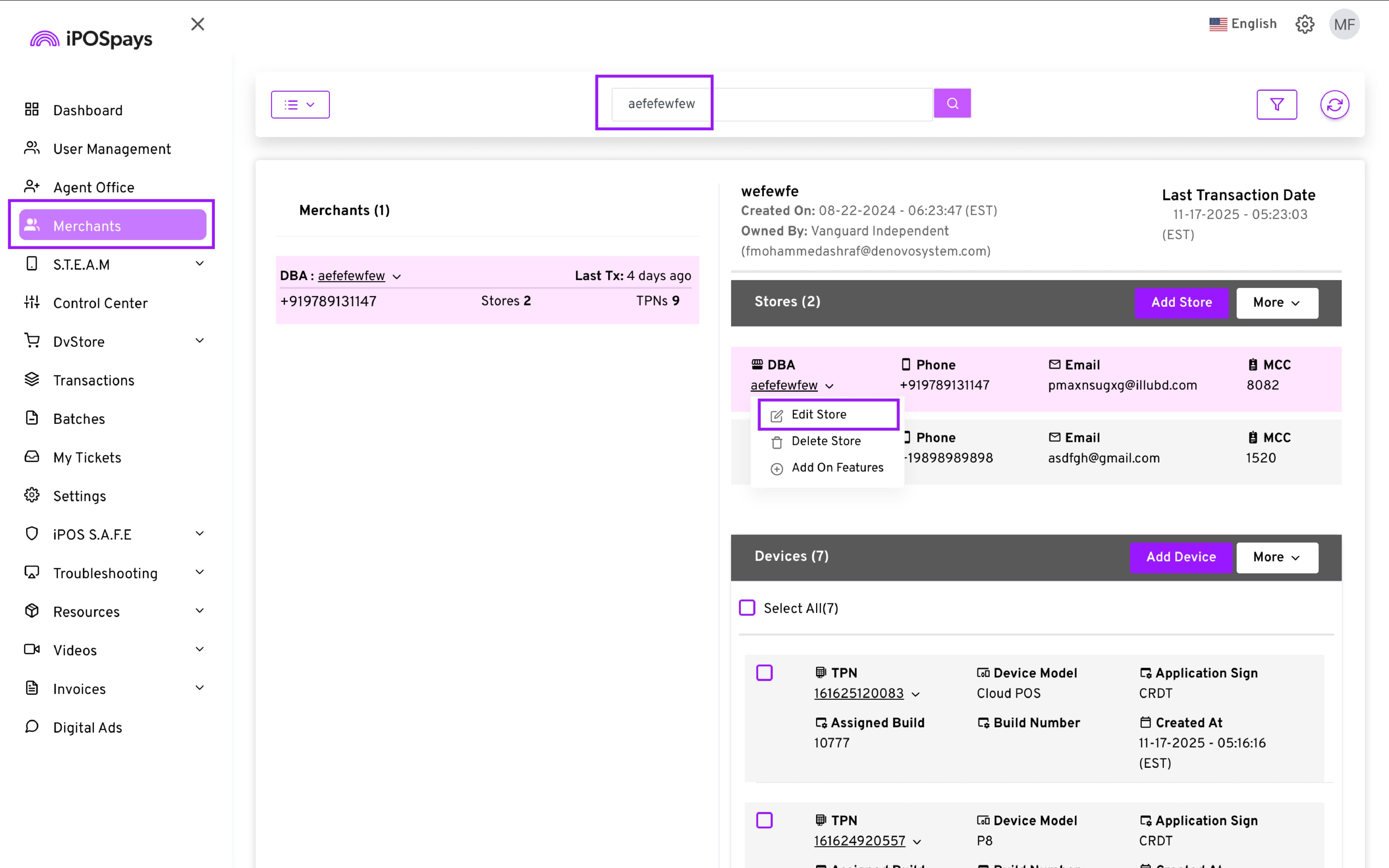
Go to Merchants → Use the search box to find and select the specific merchant → Store DBA → Edit Store.
- Toggle the Show only mandatory fields based on the merchant’s preference.
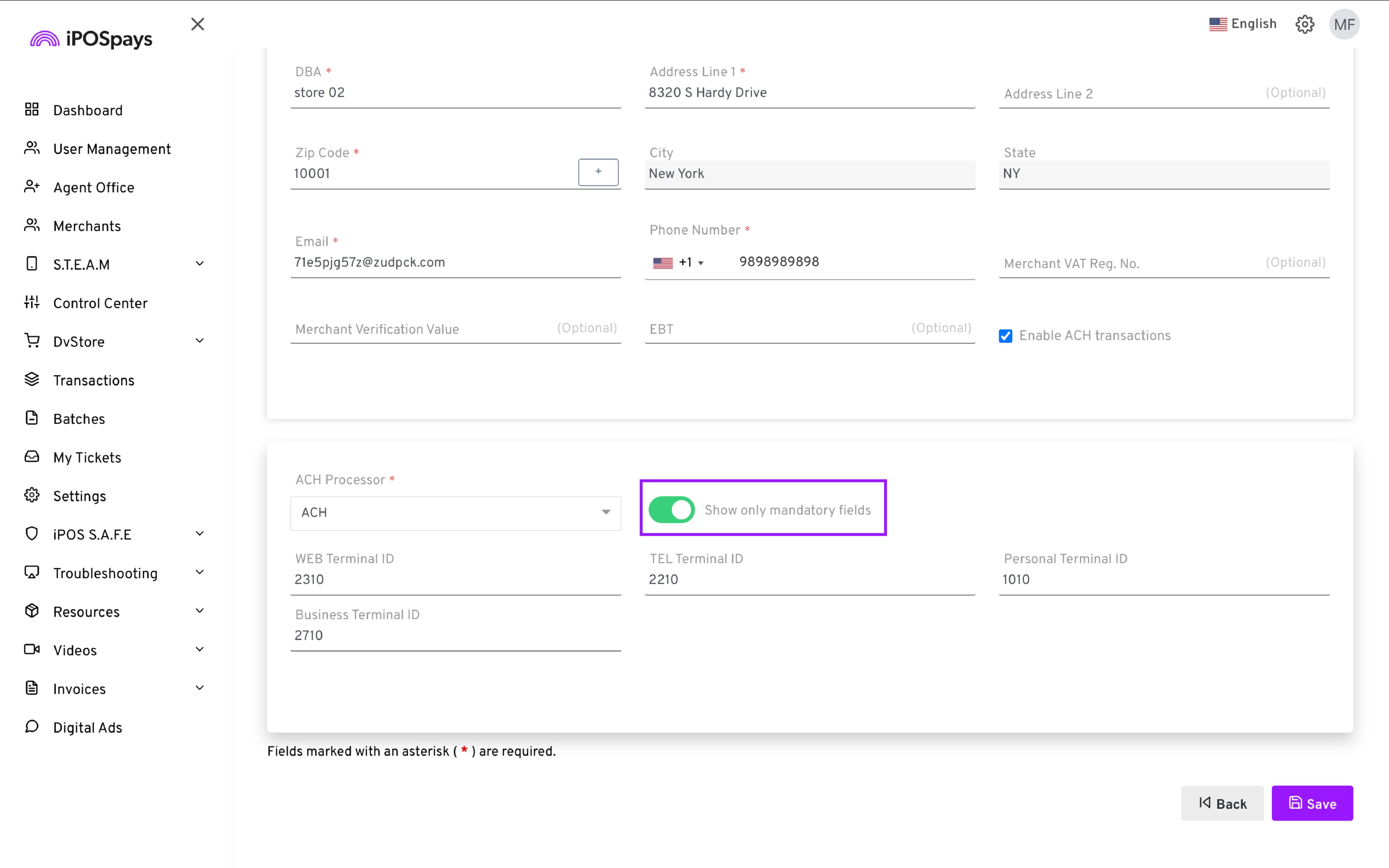
- Click Save for the changes to take effect.
Why It Matters
This update gives ISOs and merchants more control over how ACH transactions are captured and presented, helping ensure compliance while simplifying customer data collection.