Bank (ACH) Standalone Refund for CloudPOS
Merchants can now process Bank (ACH) Standalone Refunds directly from their iPOSpays portal without needing an associated original transaction. This enhancement gives merchants more flexibility while maintaining the same secure ACH processing flow already used for regular ACH refunds.
Feature Compatibility
-
Required Build: Not Applicable
-
Supported ACH Processor: Paya ACH (Standalone Refund available only for Paya ACH)
-
Supported Platforms: CloudPOS → Pay Now
What’s New
-
Bank (ACH) is now available as a refund option when issuing a standalone refund from the portal.
-
Refunds initiated through the Transaction module and Standalone Refunds now behave consistently.
-
Standalone Bank (ACH) refund transactions are now saved under the My Customers module for easy reference.
Prerequisites
-
Refund must be enabled for the merchant, and the logged-in user must have the privilege to perform Refunds.
-
ACH refunds cannot be voided.
-
Login As users cannot perform refund actions.
-
Only Paya ACH is supported.
How It Works
Standalone Bank (ACH) Refund Flow (No Original Transaction Required)
-
Log in to the iPOSpays portal using your merchant admin credentials.
-
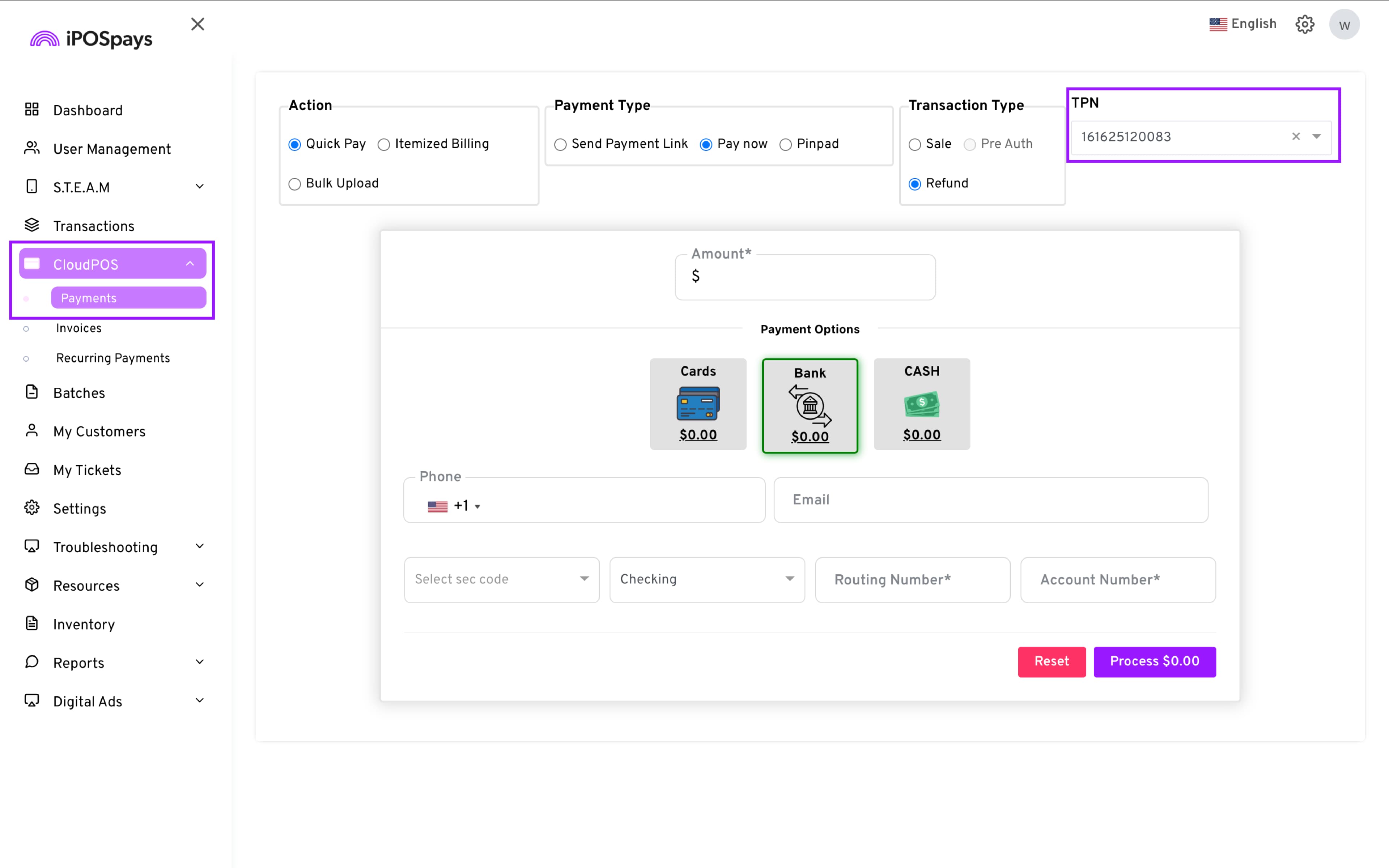
Navigate to CloudPOS → Payments.
-
Select the appropriate TPN from the drop-down.
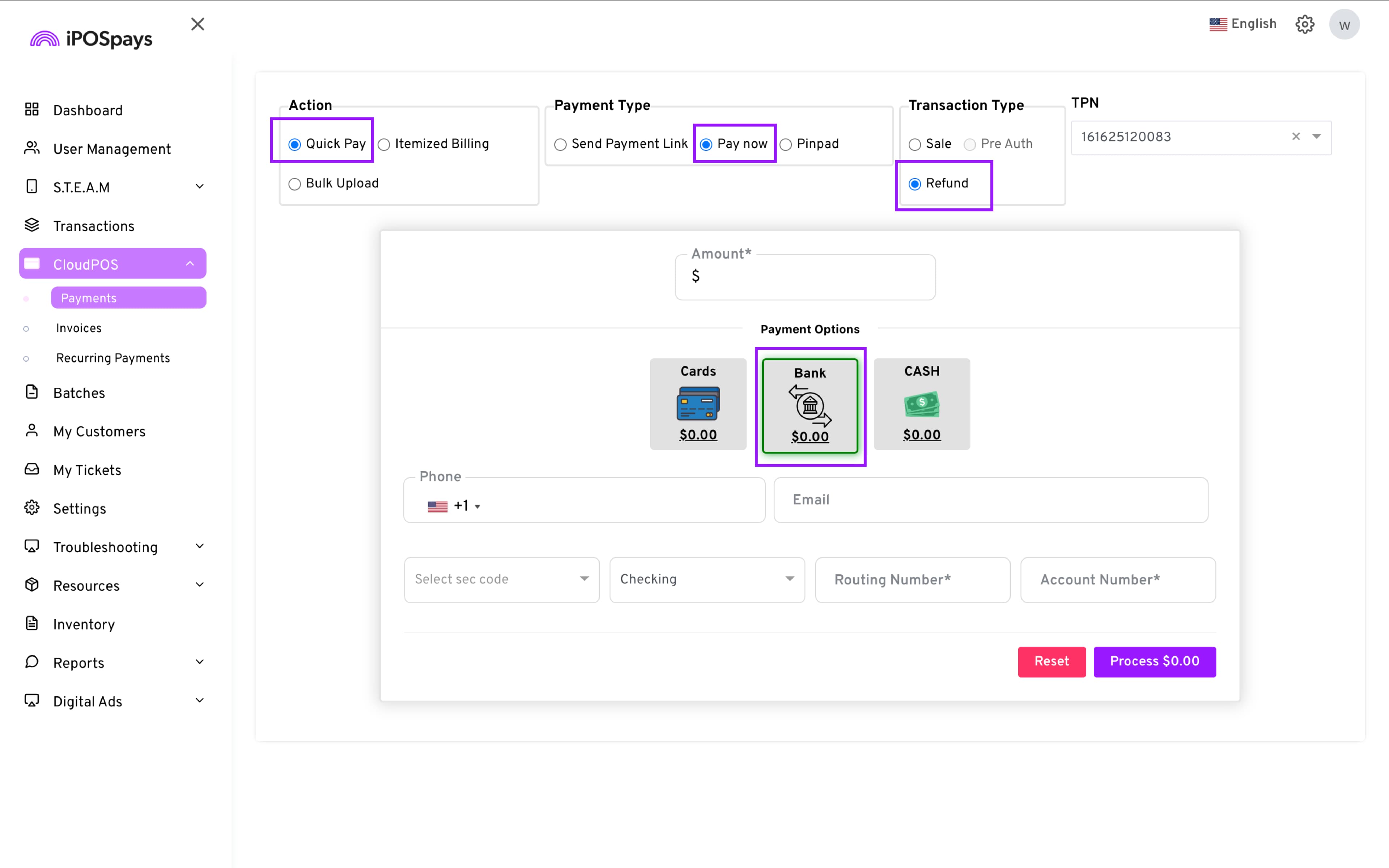
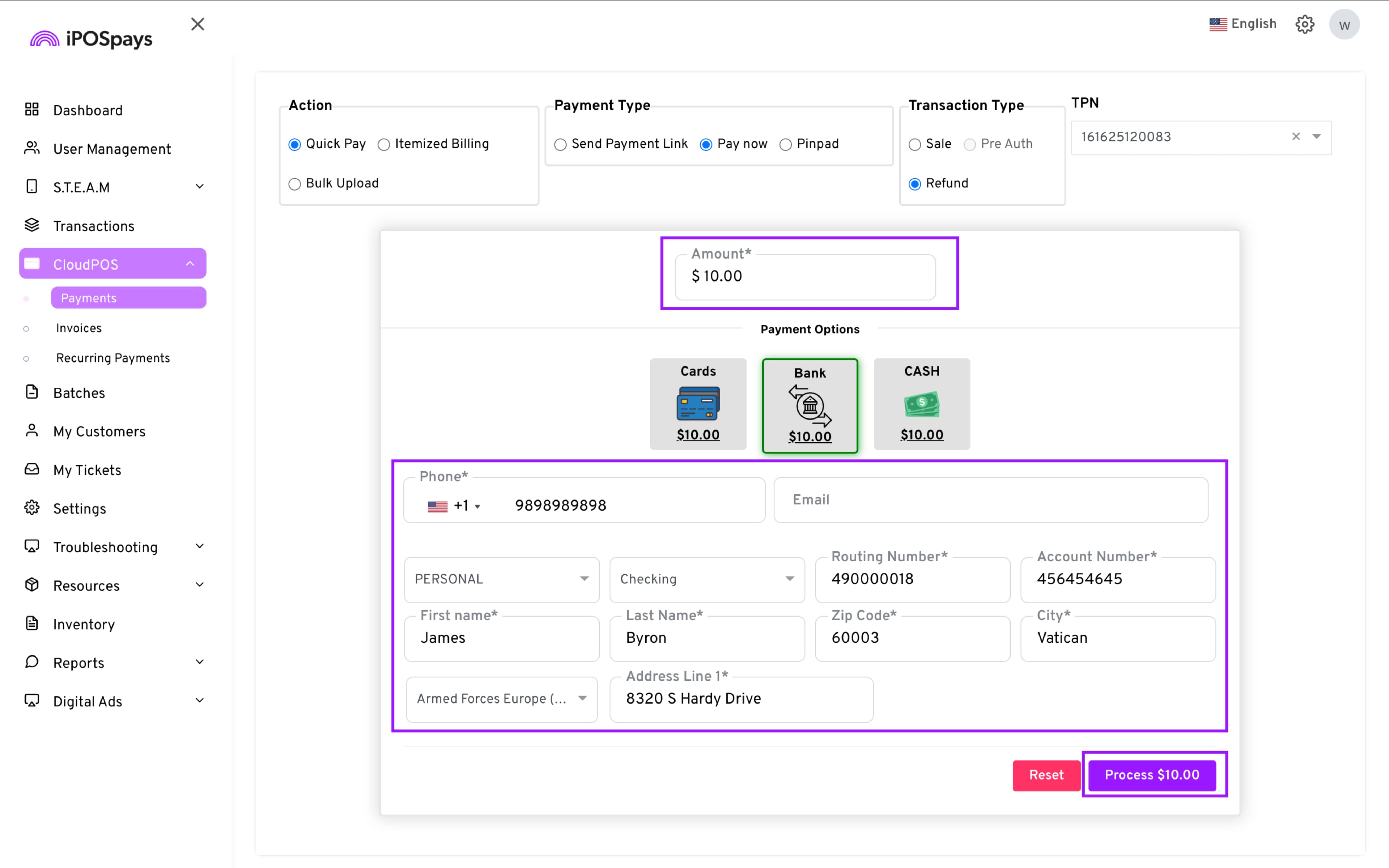
Configure the standalone refund:
-
Action: Quick Pay
-
Payment Type: Pay now
-
Transaction Type: Refund
-
Payment Options: Bank (ACH)
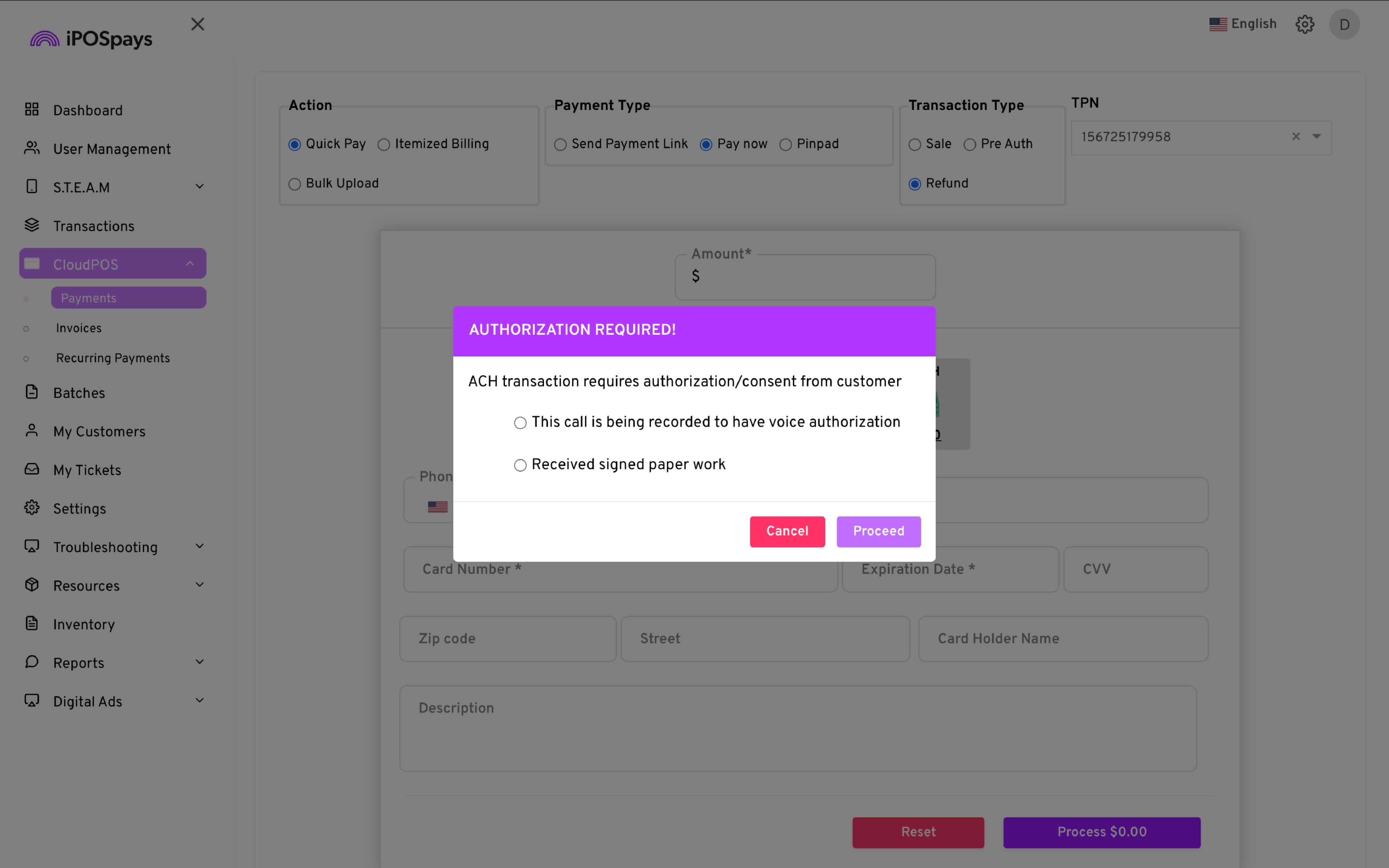
A popup will appear asking you to choose the customer authorization method required for Paya ACH.
-
Enter the refund amount.
-
Fill in the required customer and authorization fields.
-
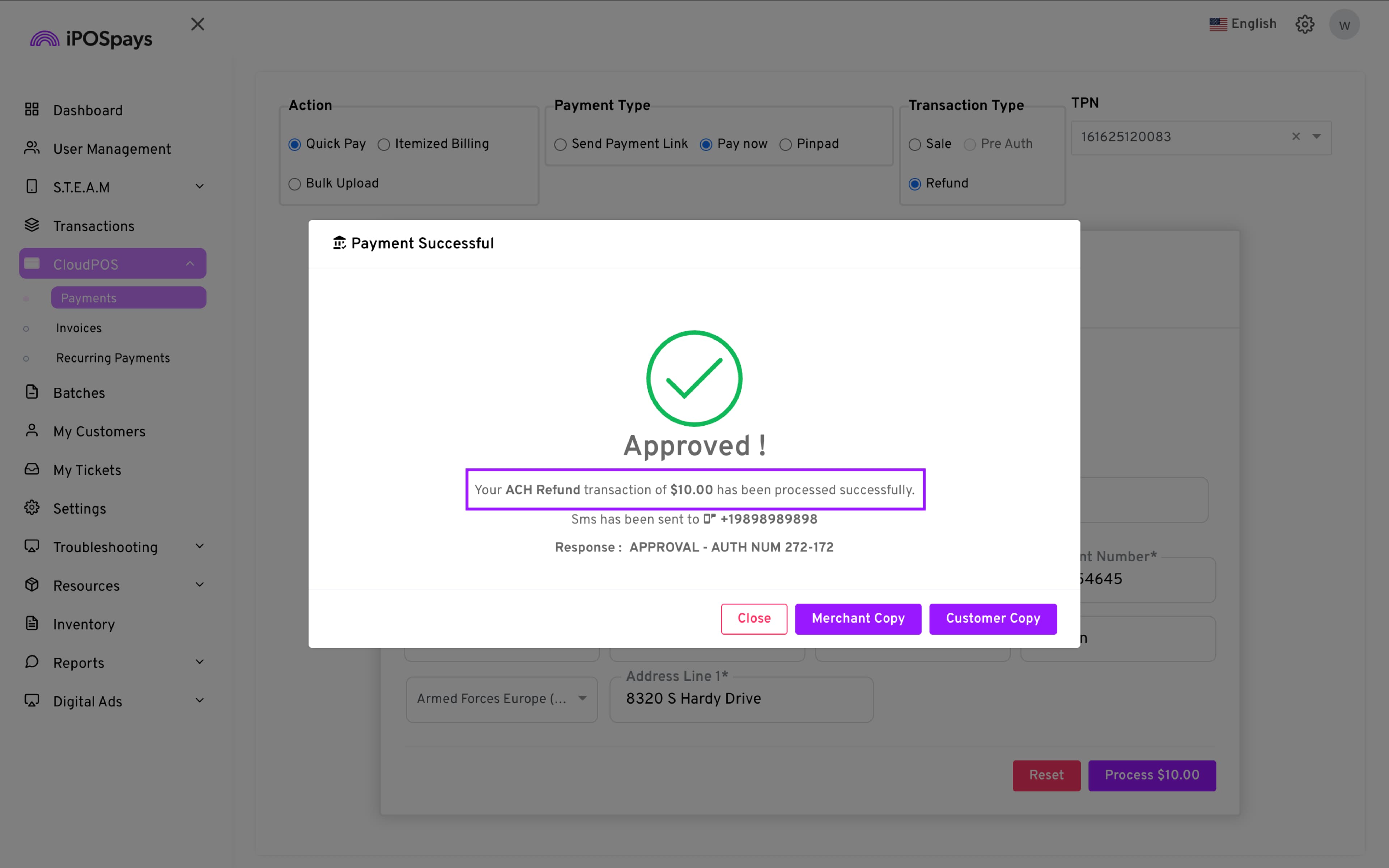
Click Process to complete the transaction.
Where to Find the Refund
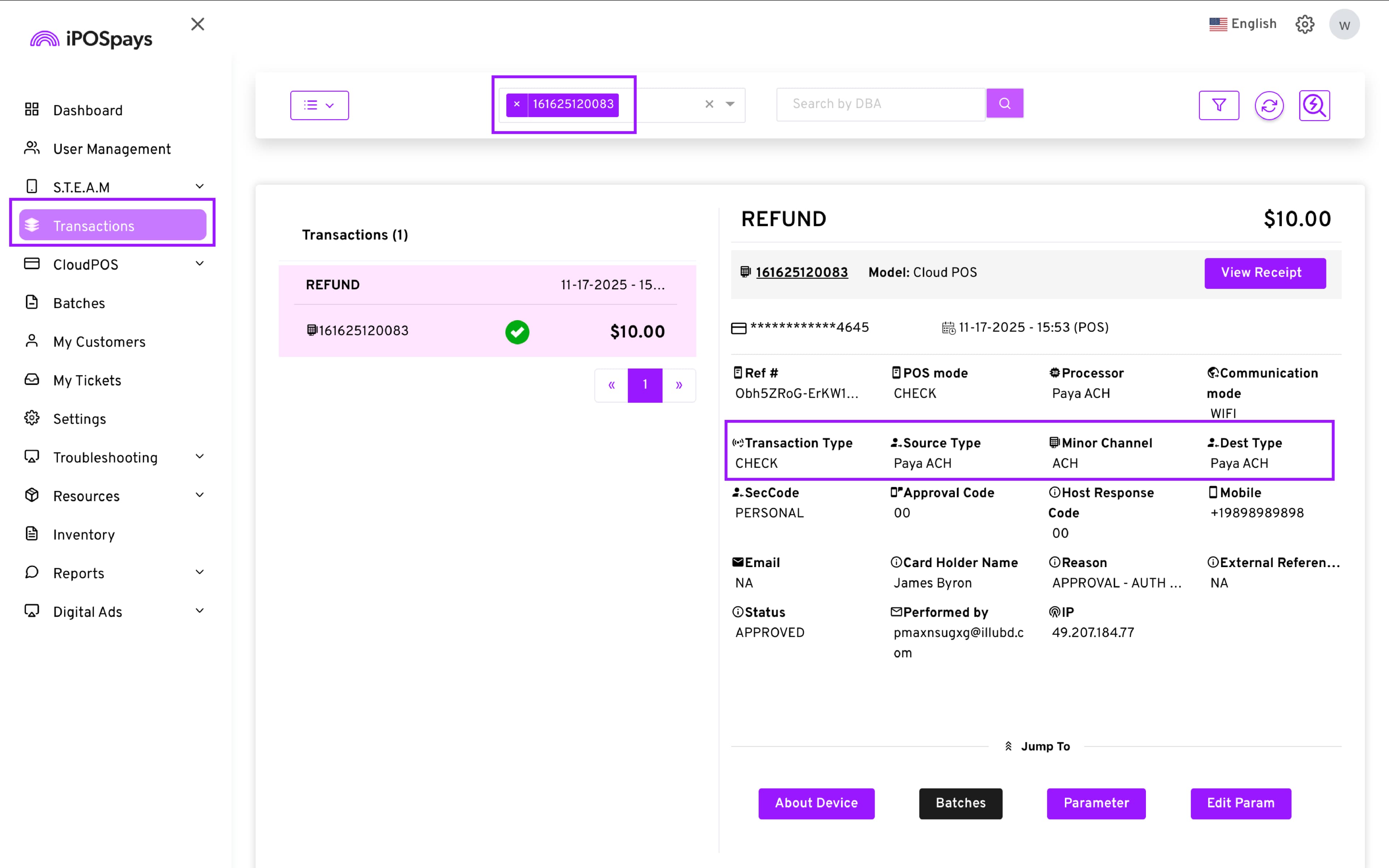
- The transaction will appear under:
Transactions → Filter → Alternative Payments
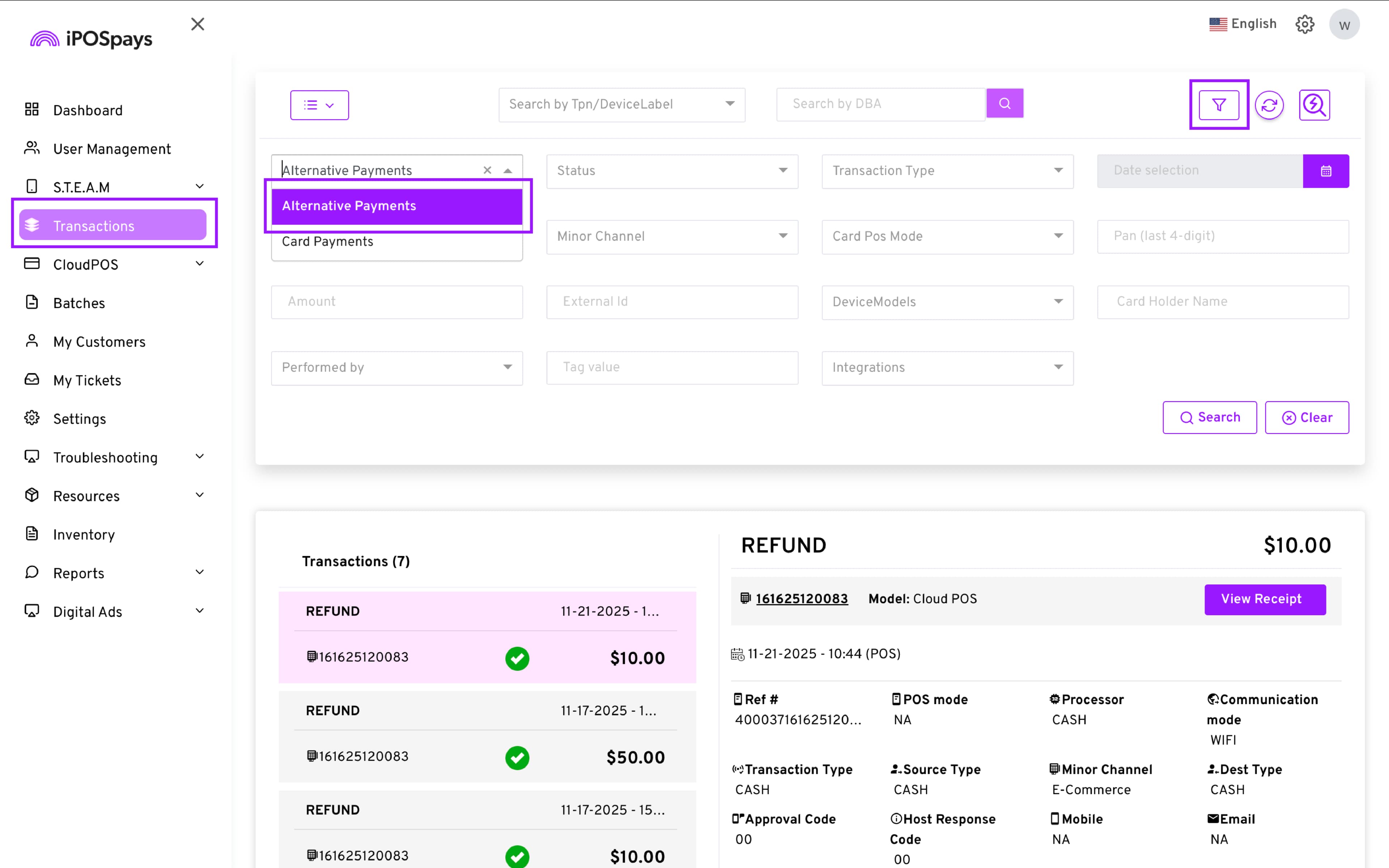
- Transaction signatures will indicate CHECK and Paya ACH.