Add Tip Details to SPIn and DvPayLite Receipt Responses
SPIn API and DvPayLite Deep Linking now include tip lines and tip suggestions in the transaction response. Previously, these details were available only on the printed regular receipt. With this enhancement, integrations can also receive the same tip information in the response, making it easier to access and process tip details programmatically.
Feature Compatibility
- Minimum Required POS Build: 10184
- Supported Integrations: SPIn API and DvPayLite Deep Linking
- Supported Payment Terminals:
- P3
- P5
- P1
- P8
- P17
- P12
- Supported Receipts: Regular and mini receipts are supported
With This Enhancement
- Tip lines and tip suggestions are included in SPIn and DvPayLite responses.
- The same tip information is printed on the terminal’s regular receipt.
How to Enable for Your Merchants
- Log in to the iPOSpays Portal using ISO, Agent Office, or Merchant credentials.
- Go to S.T.E.A.M. → Edit Parameters and select the merchant’s POS TPN.
- Under Tip & Taxes, enable Tip, Tip Suggestion on Paper, and Tip Line on Paper.
- Click Save and perform a parameter update on the payment terminal.
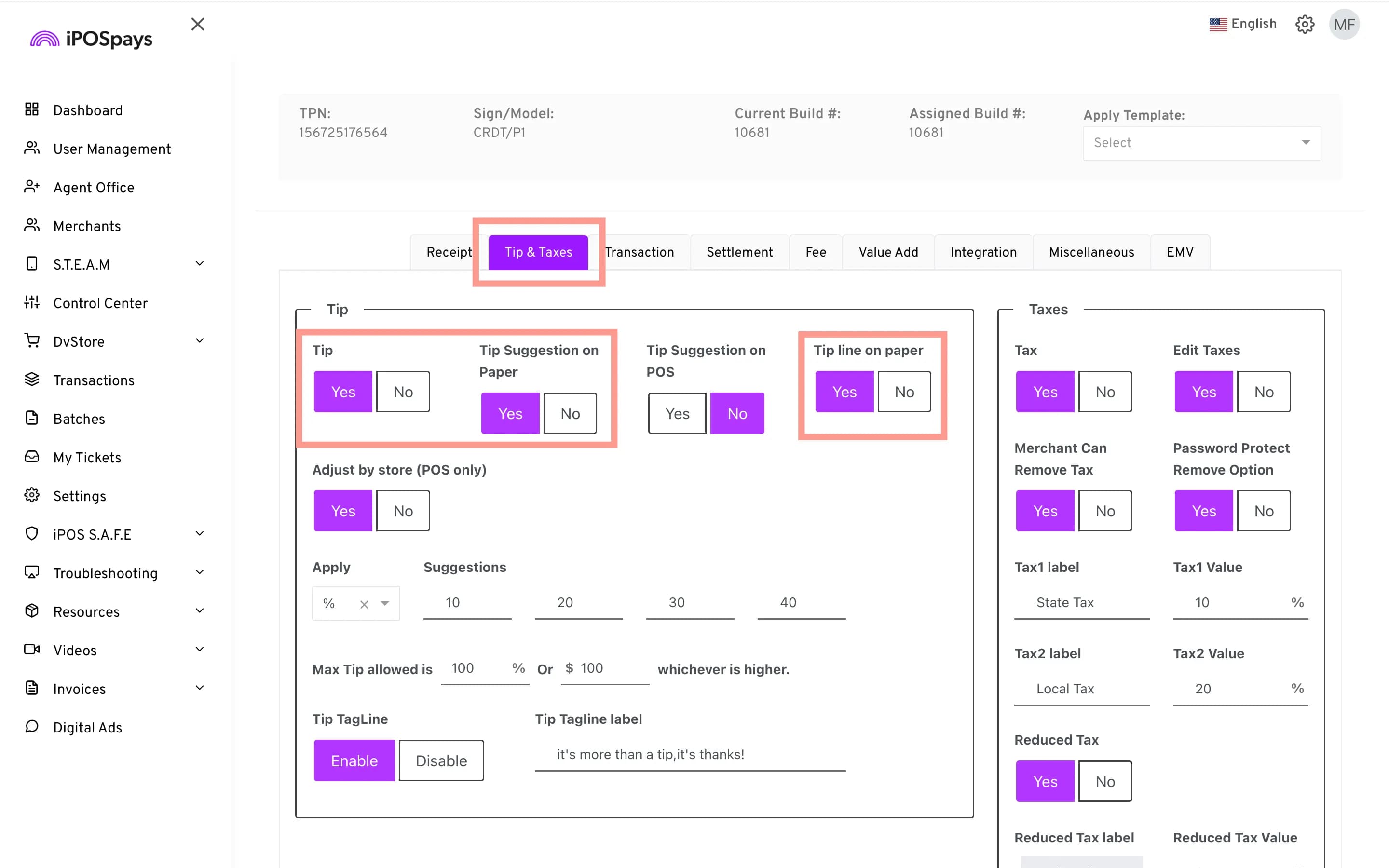
To learn how to enable Tip, Tip Suggestion on Paper, and Tip Suggestion on POS, check out:
Reference links for the supported APIs: