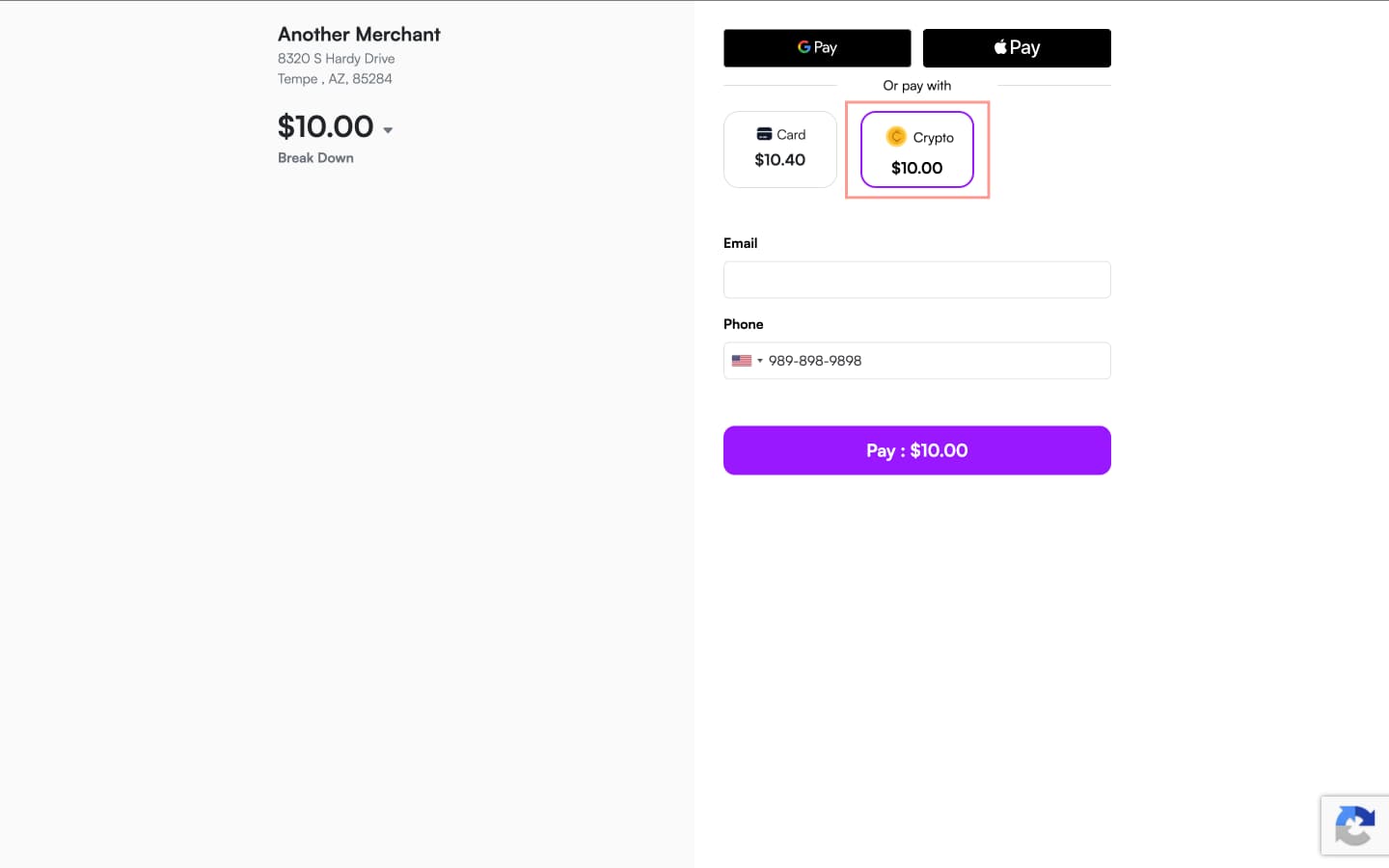
Accept Crypto Payments With Bead on iPOSpays
Merchants can now accept cryptocurrency payments through Bead on supported iPOSpays payment channels.
This integration enables merchants to expand their accepted payment methods and offer customers a more modern and flexible checkout experience using digital assets.
What’s New?
With Bead integration, merchants can now:
- Accept cryptocurrency payments through supported iPOSpays channels
- Offer additional payment flexibility to customers
- Support modern digital payment experiences
- Enable Crypto acceptance directly within the iPOSpays ecosystem
Availability
This feature is currently available as part of a Pilot Program. ISOs interested in participating in the pilot rollout should contact their Relationship Manager (RM) for onboarding and enablement details.
Feature Compatibility
- Minimum Required POS Build: 10174 and above
- Supported Channels: POS, CloudPOS (Send Payment Link only), GHPP
- Availability: Pilot
Prerequisites
Before enabling the feature, the following requirements must be completed:
- The ISO must assist the merchant with Bead registration
- The ISO must obtain the required Bead credentials
- The merchant account must be configured for crypto payment acceptance
How to Enable for Existing Merchants
After registering the merchant with Bead and obtaining the credentials, follow the steps below:
Enable from the ISO Login
- Log in to the iPOSpays portal using an ISO admin account
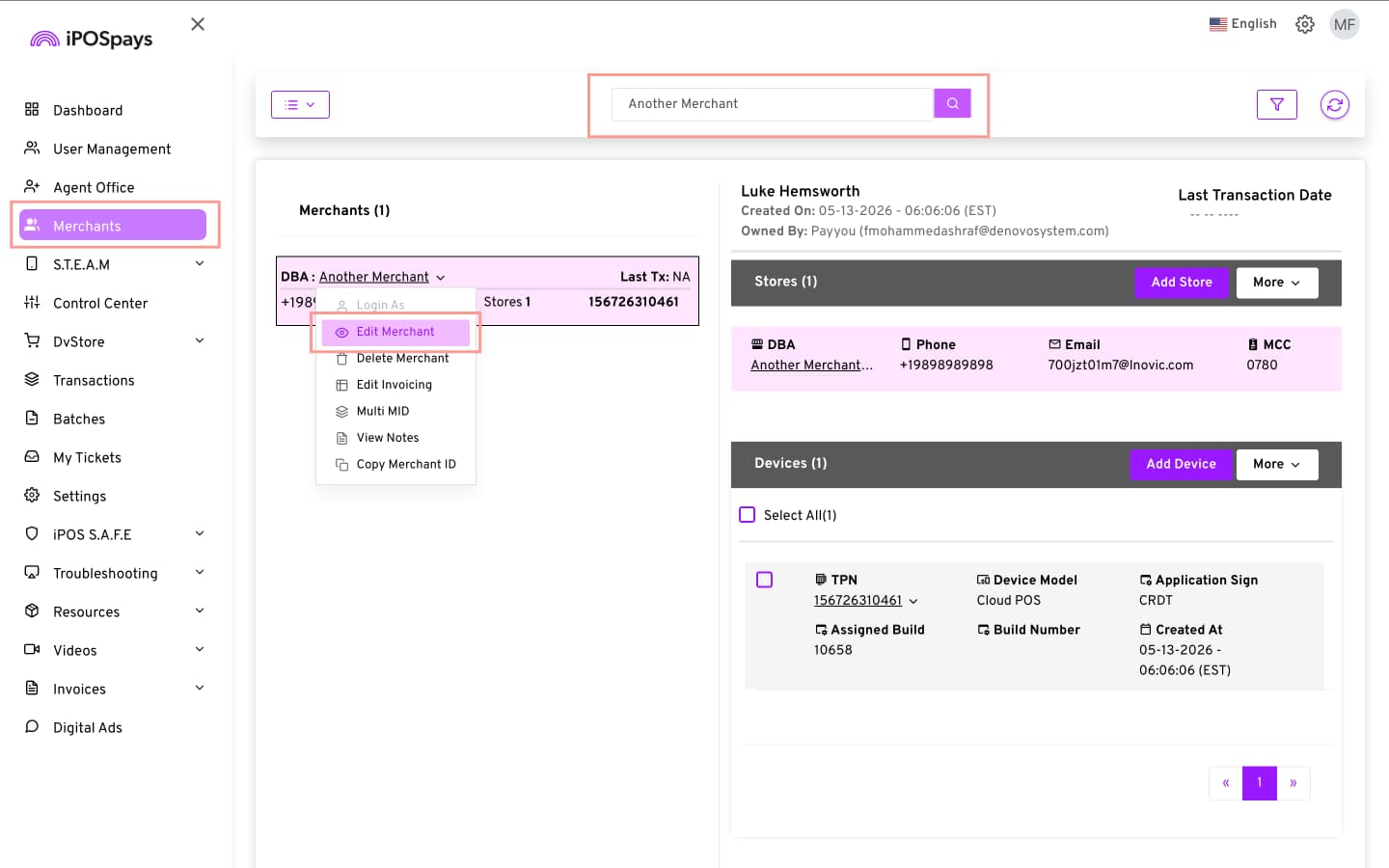
- Go to Merchants → Use the search box to find and select the merchant
- Click Merchant DBA → Edit Merchant
- Click on the Integrations drop-down menu → Choose Bead under DIGITAL WALLETS
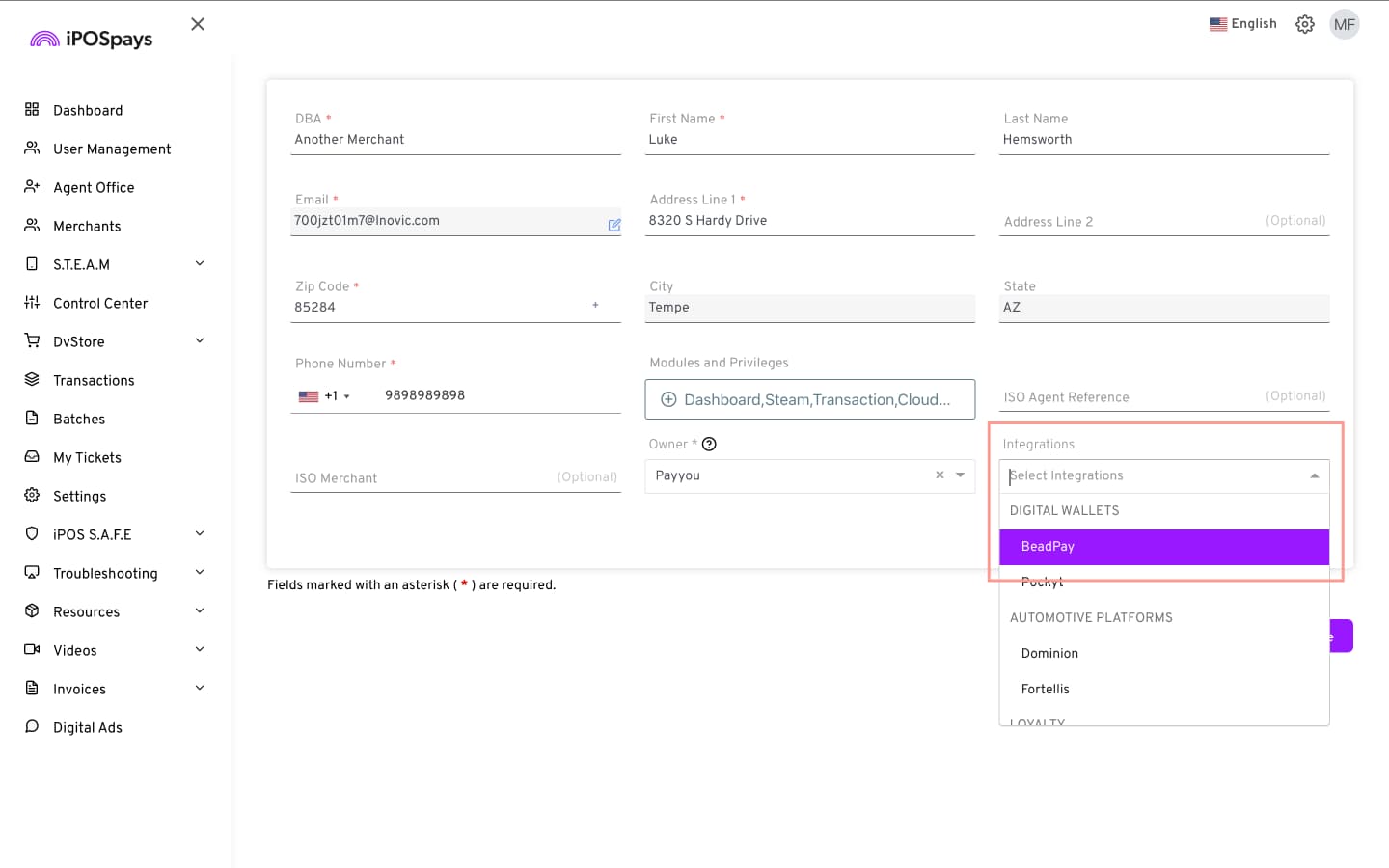
- Click Save and perform a parameter update on the payment terminal of the merchant who has one
Configure from the Merchant Login
- Log in to the iPOSpays portal using a merchant admin account
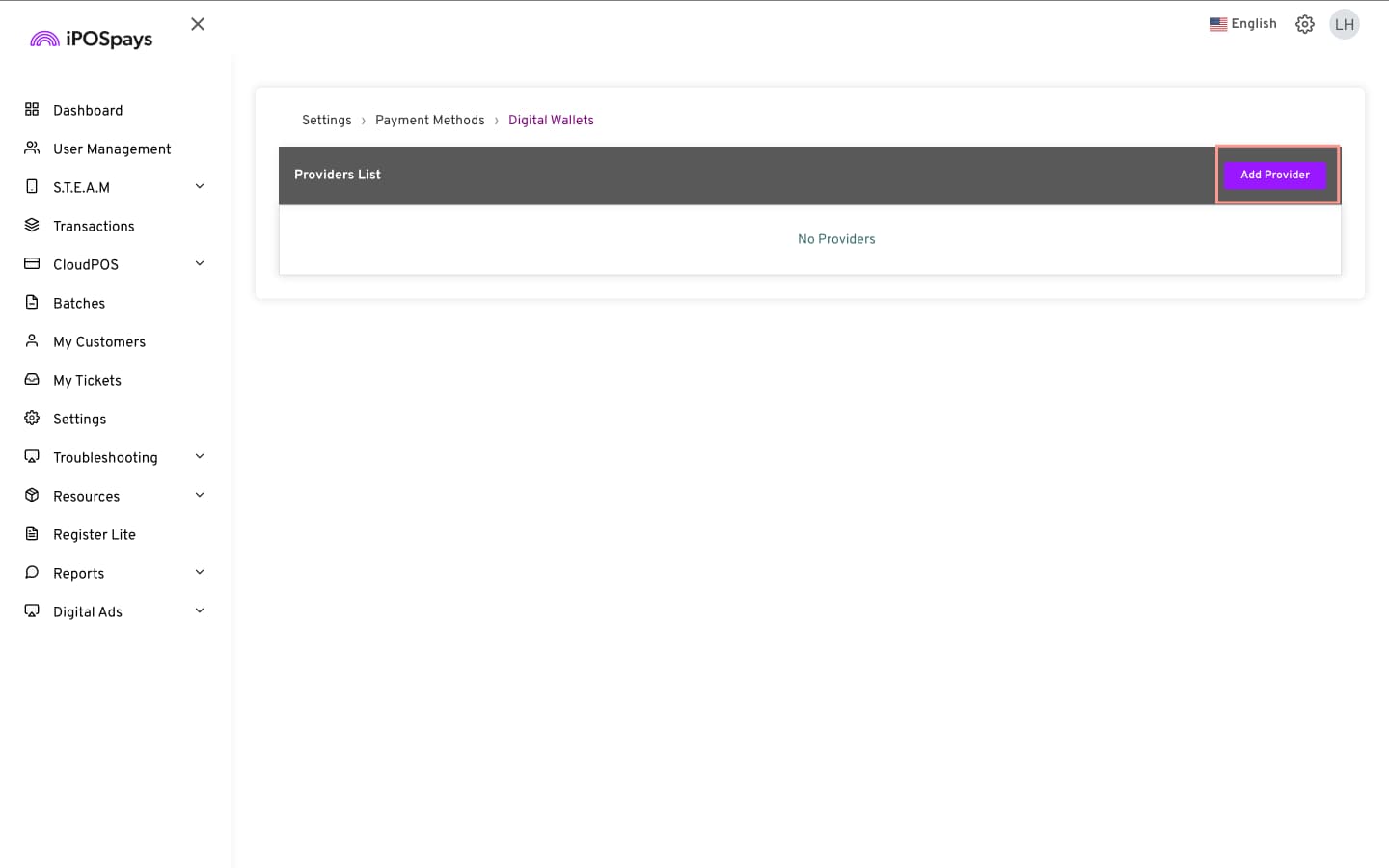
- Go to Settings → Payment Methods → Digital Wallets → Manage
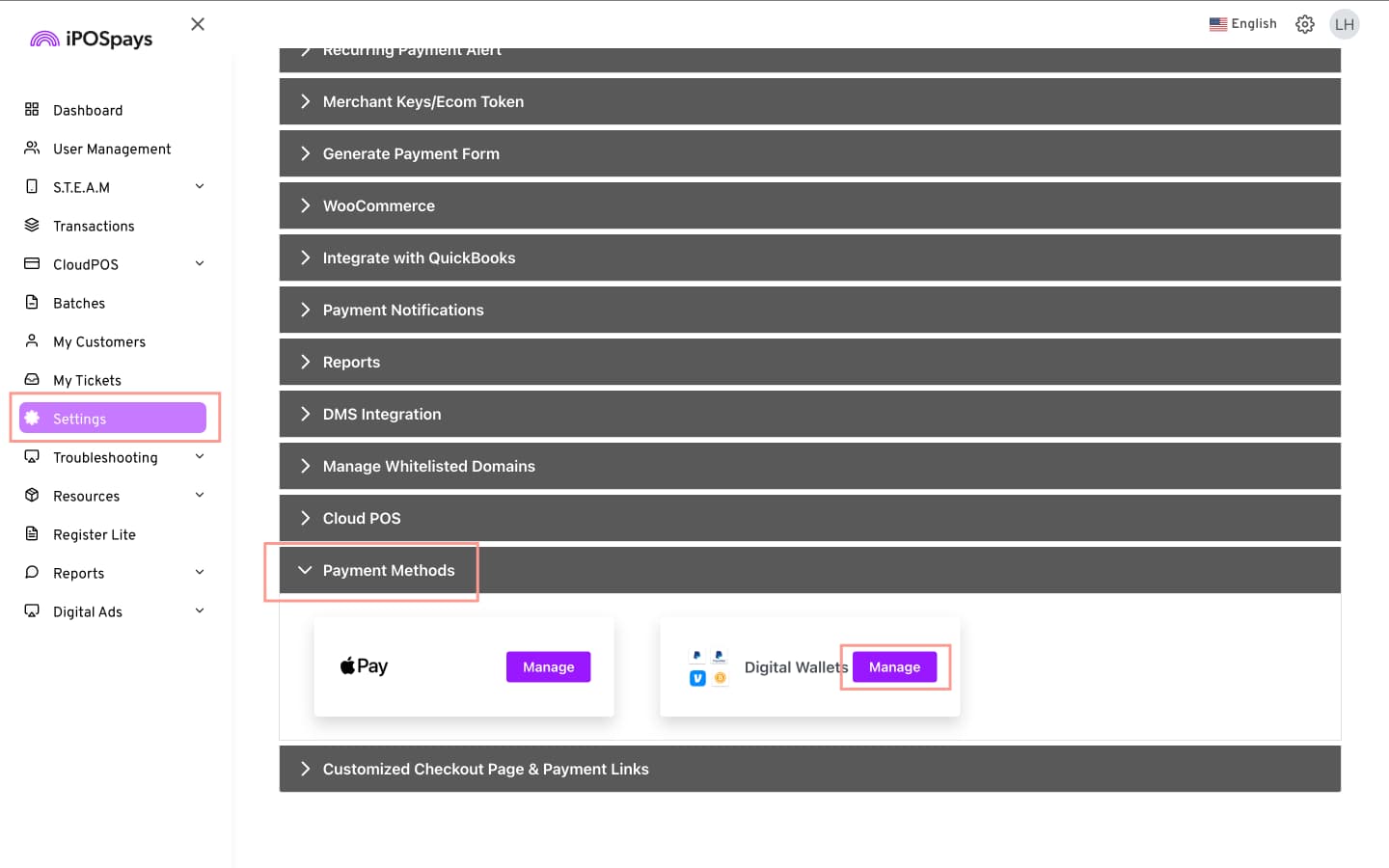
- Providers List → Add Provider
- Select Bead from the Providers drop-down list
- Choose:
- Stores: Select the store for which you want to accept Crypto payments
- Merchant ID: Enter the Merchant ID provided by Bead
- Terminal ID: Enter the Terminal ID provided by Bead
- API Key: Enter the API Key provided by Bead
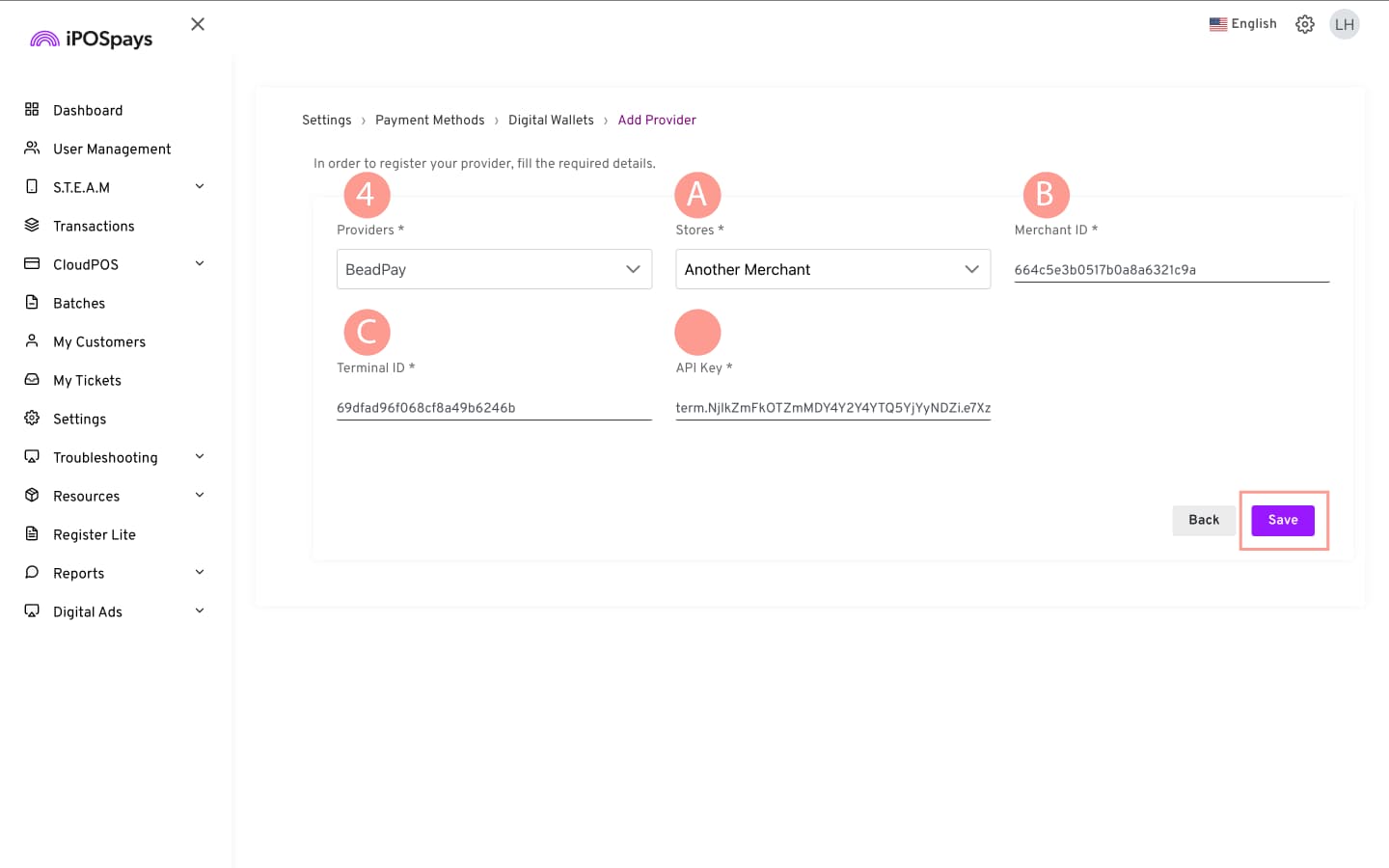
- Click Save for the changes to take effect
How to Edit/Delete Bead Credentials
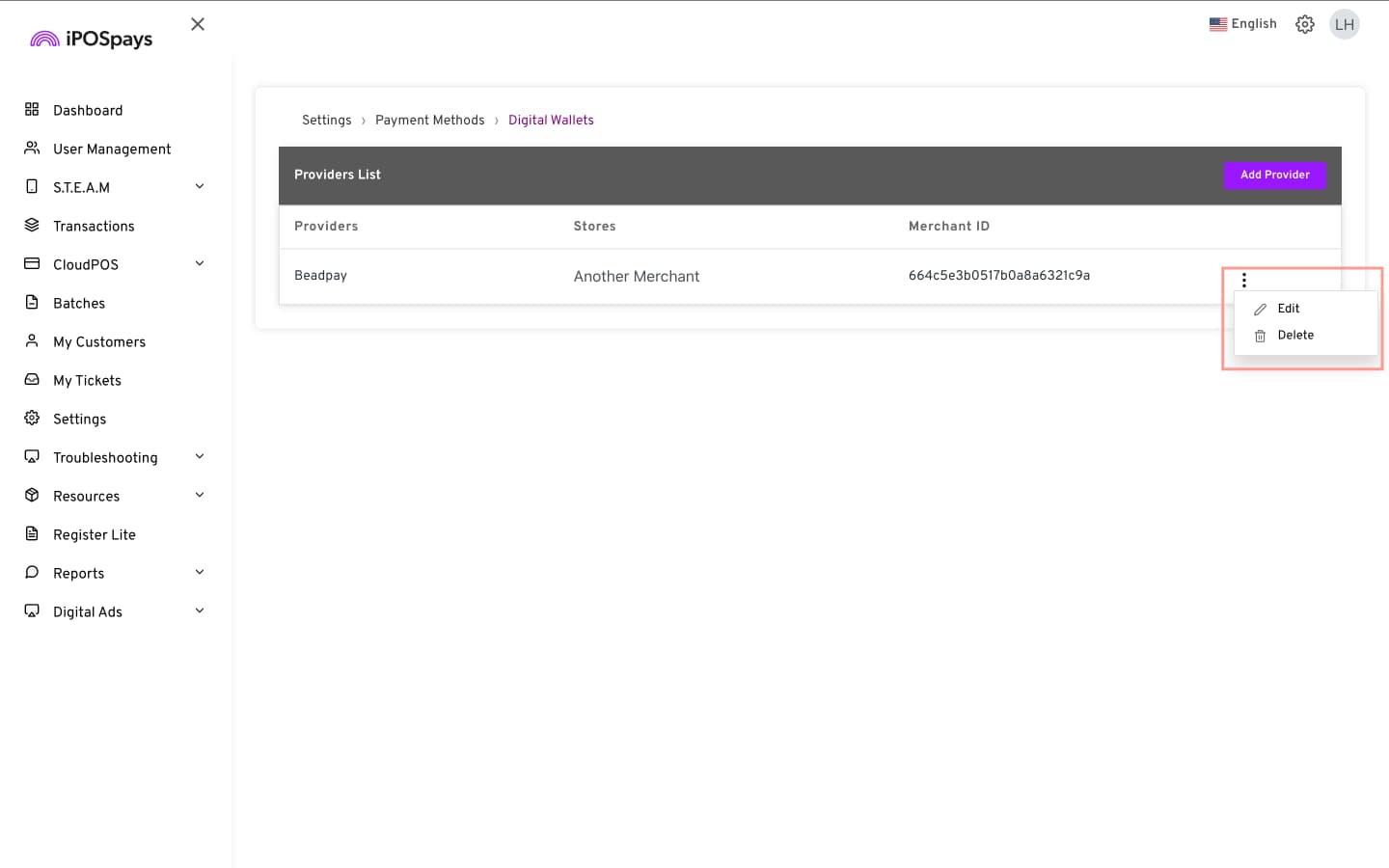
After saving the credentials, you can edit or remove the existing configuration at any time.
- Go to Settings → Payment Methods → Digital Wallets → Manage
- Under Providers List, click the three-dot menu next to the configured provider
- Select:
- Edit to update the configuration
- Delete to remove the configuration
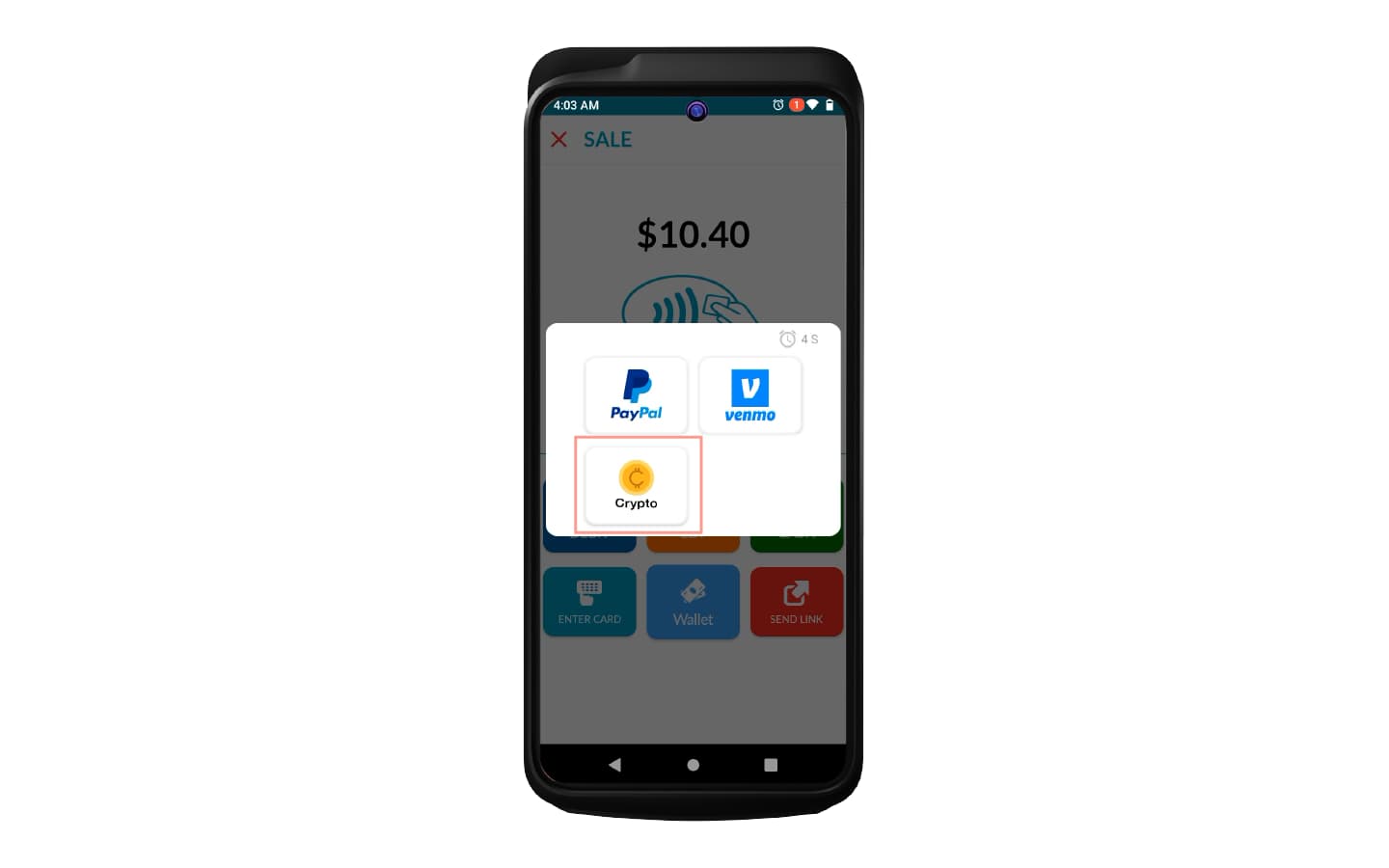
How This Reflects on Payment Terminals
In the SALE screen, click Wallet → Crypto.
How This Reflects on CloudPOS → Send Payment Link and Generic Hosted Payment Page