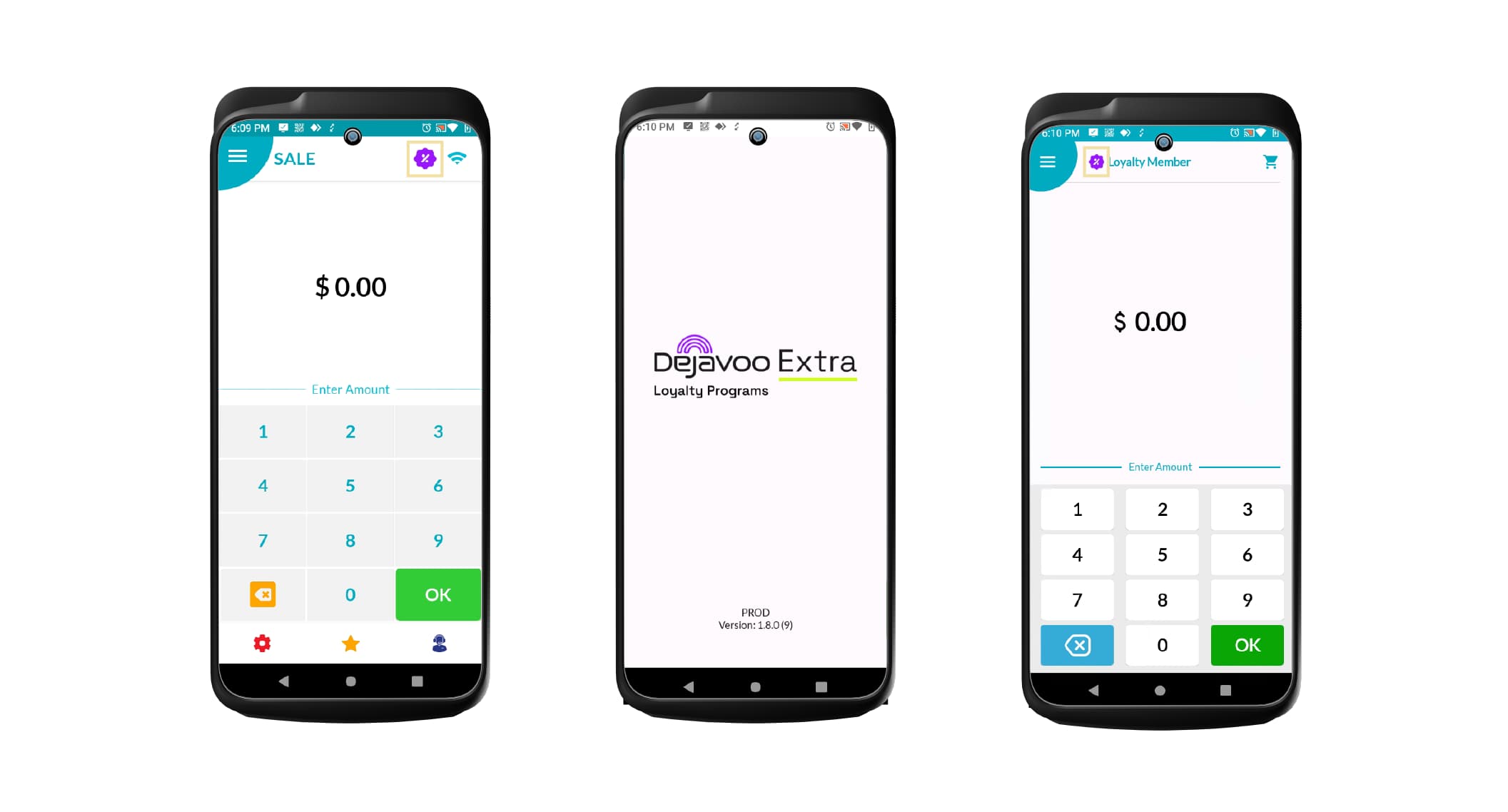
Dejavoo Extra
We are excited to introduce Dejavoo Extra, a powerful partnership between Dejavoo gateway-powered terminals and Extra 360. This integration allows merchants to seamlessly incorporate the Extra 360 app into their Dejavoo payment terminals. With Dejavoo 360, merchants can create loyalty programs, design and implement promotions, set up rewards and discounts on the Extra 360 platform, and process transactions efficiently—all from their Dejavoo terminals.
Note: Ensure the DVStore app is installed on the merchant’s payment terminal for this feature to work.
How to Enable for a Merchant:
-
Log in to the iPOSpays portal using an ISO account.
-
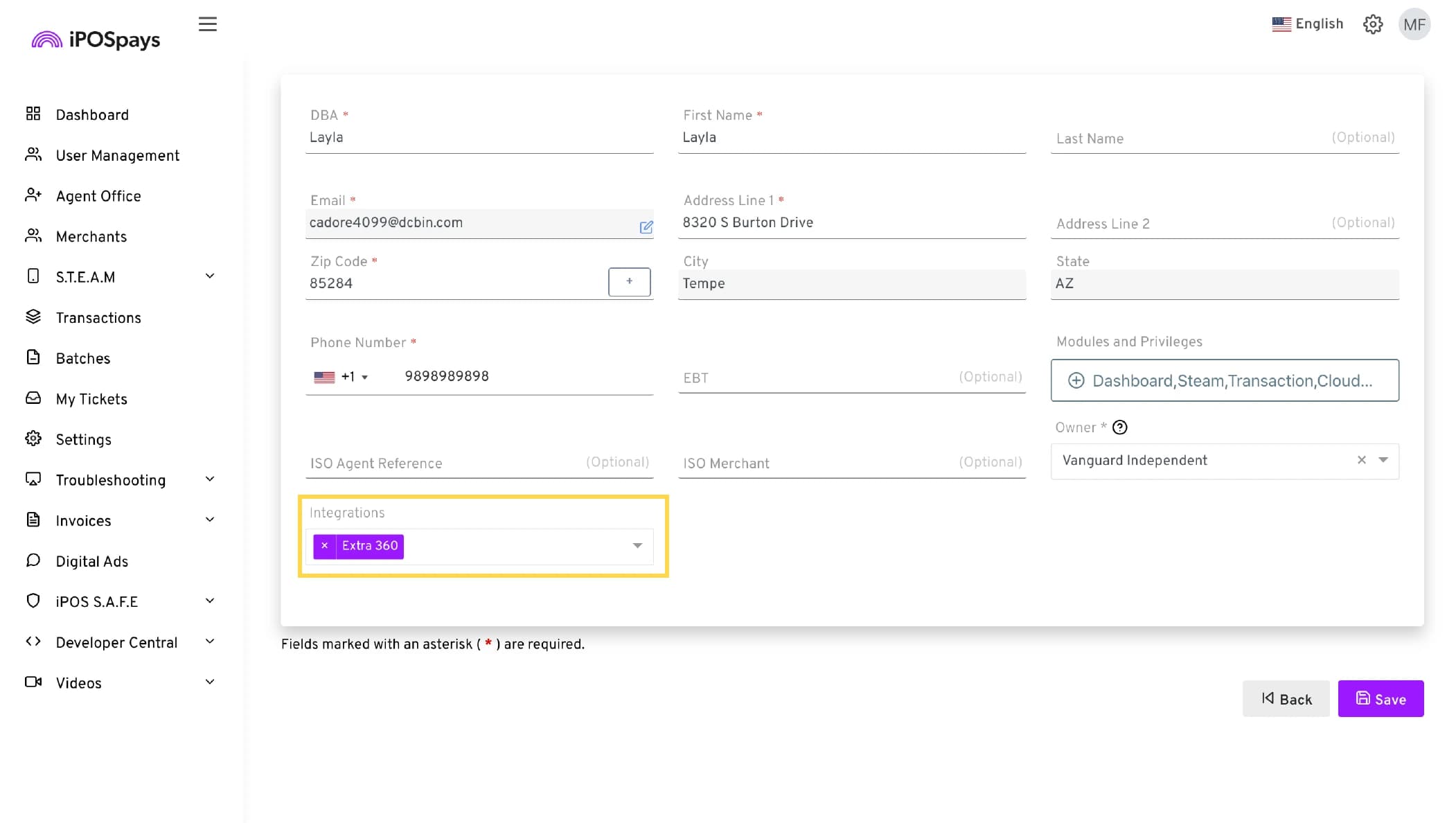
Search for and select the merchant for whom you wish to enable this feature, then click “Edit Merchant.”
-
Enable Extra 360 from the Integrations drop-down menu.
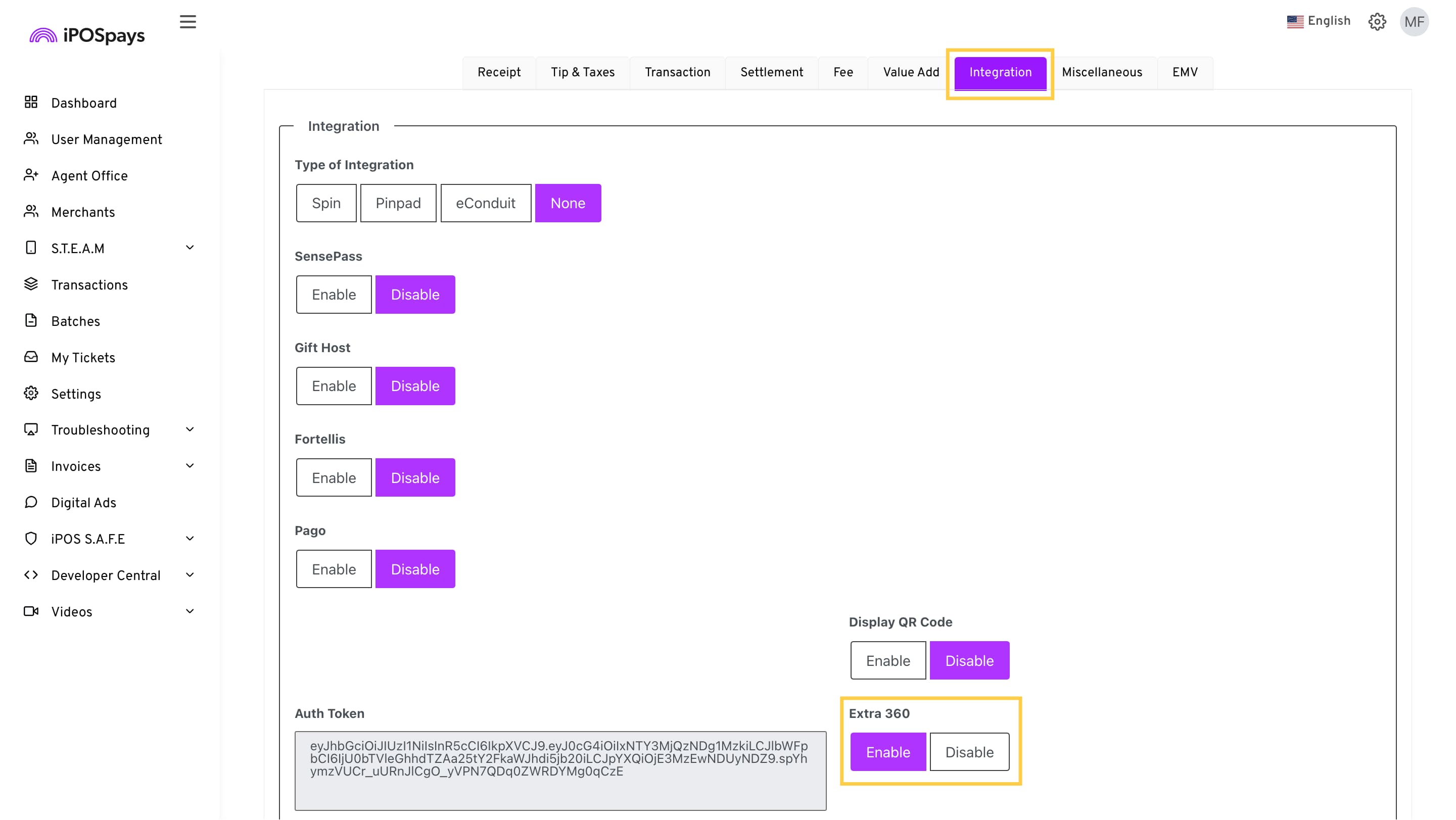
- Locate the merchant’s TPN using the search box:
- S.T.E.A.M, then Edit Parameters -> Search and select TPN -> Edit Parameter > Integrations > Enable “Extra 360.”
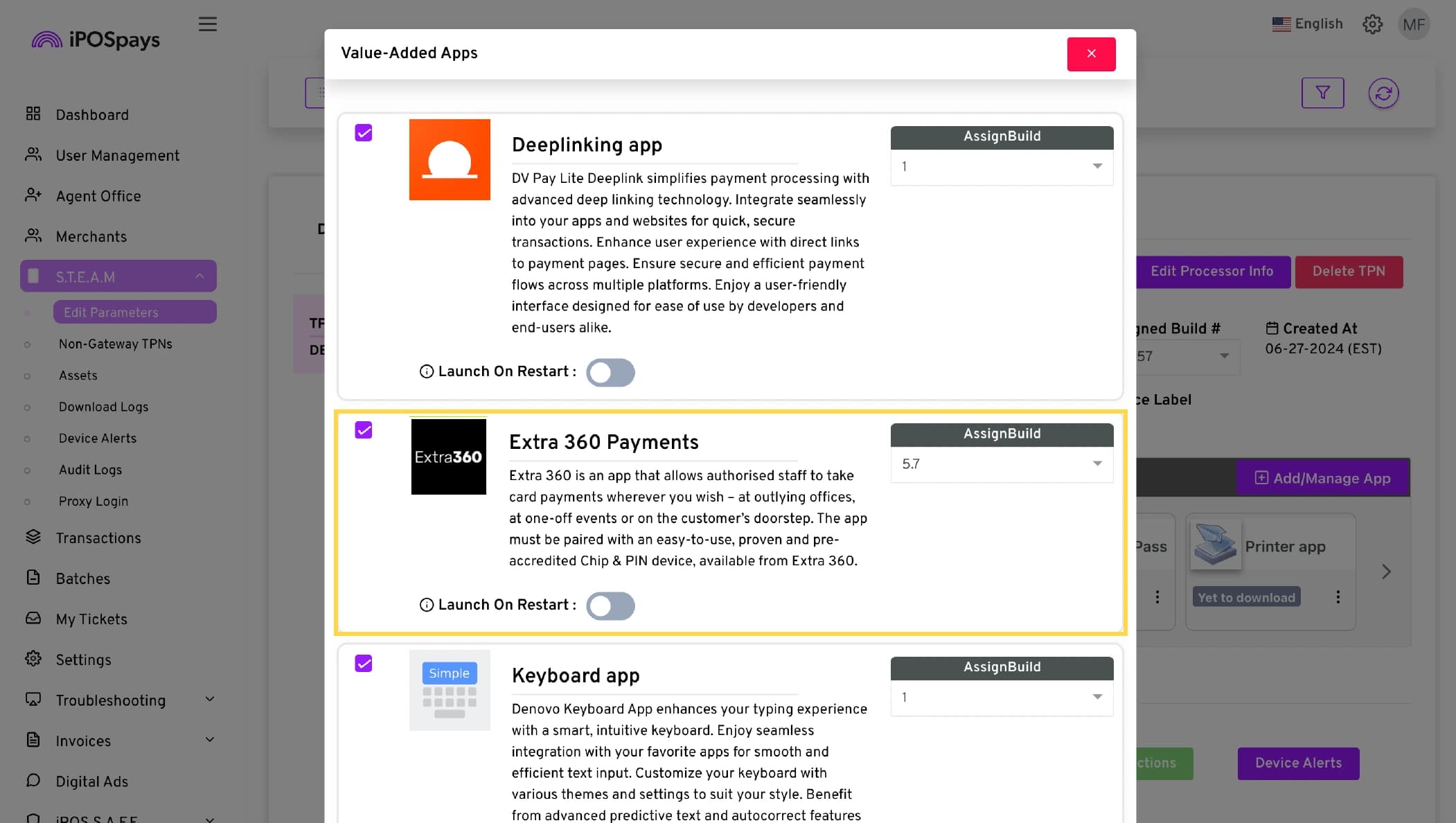
- For the same TPN:
- S.T.E.A.M -> Edit Parameters -> Search and select TPN -> Click Value Added Apps > Add/Manage App > Enable “Extra 360” > Update.
After the ISO has enabled Extra 360 from the integrations menu, the merchant will receive an onboarding email. Using the link provided, the merchant can set up their Extra 360 account. Merchants can perform transactions from their payment terminal, and all transactions will be reflected in their Extra 360 portal. (Only card transactions will be reflected in the merchant’s iPOSpays portal in the Transactions module)
Once the setup is complete, open DvPay Lite on the payment terminal and tap on the icon at the top of the screen to access Dejavoo Extra.